
Questionnaires
Within Spark.Clinic, you have the option to create and send questionnaires for your patients to complete.
How Do I Send A Questionnaire?
To send a questionnaire you must have previously created a questionnaire template.
- First go to the relevant patient profile (accessed by selecting a patient via the patient list).
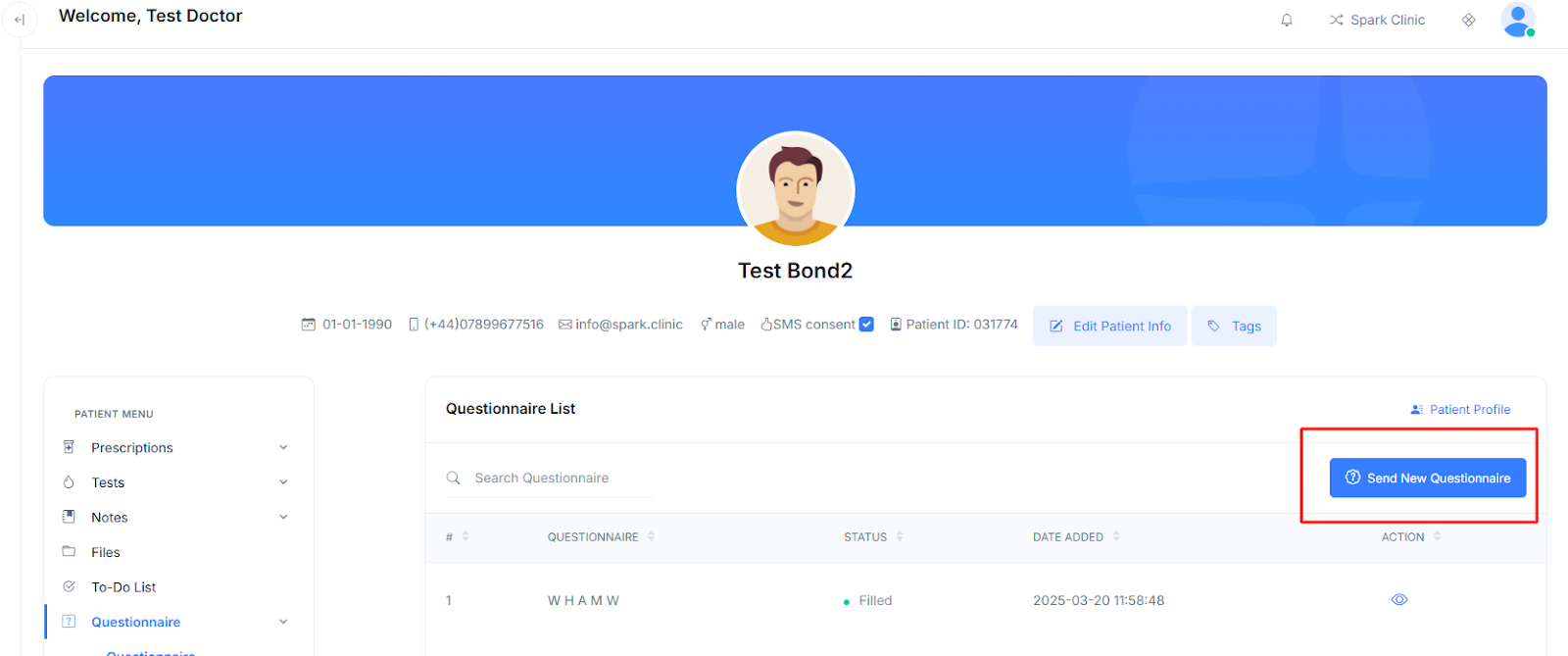
- Next Select "Questionnaires" from the patient menu.
- Now Click the "Send New Questionnaire" button.
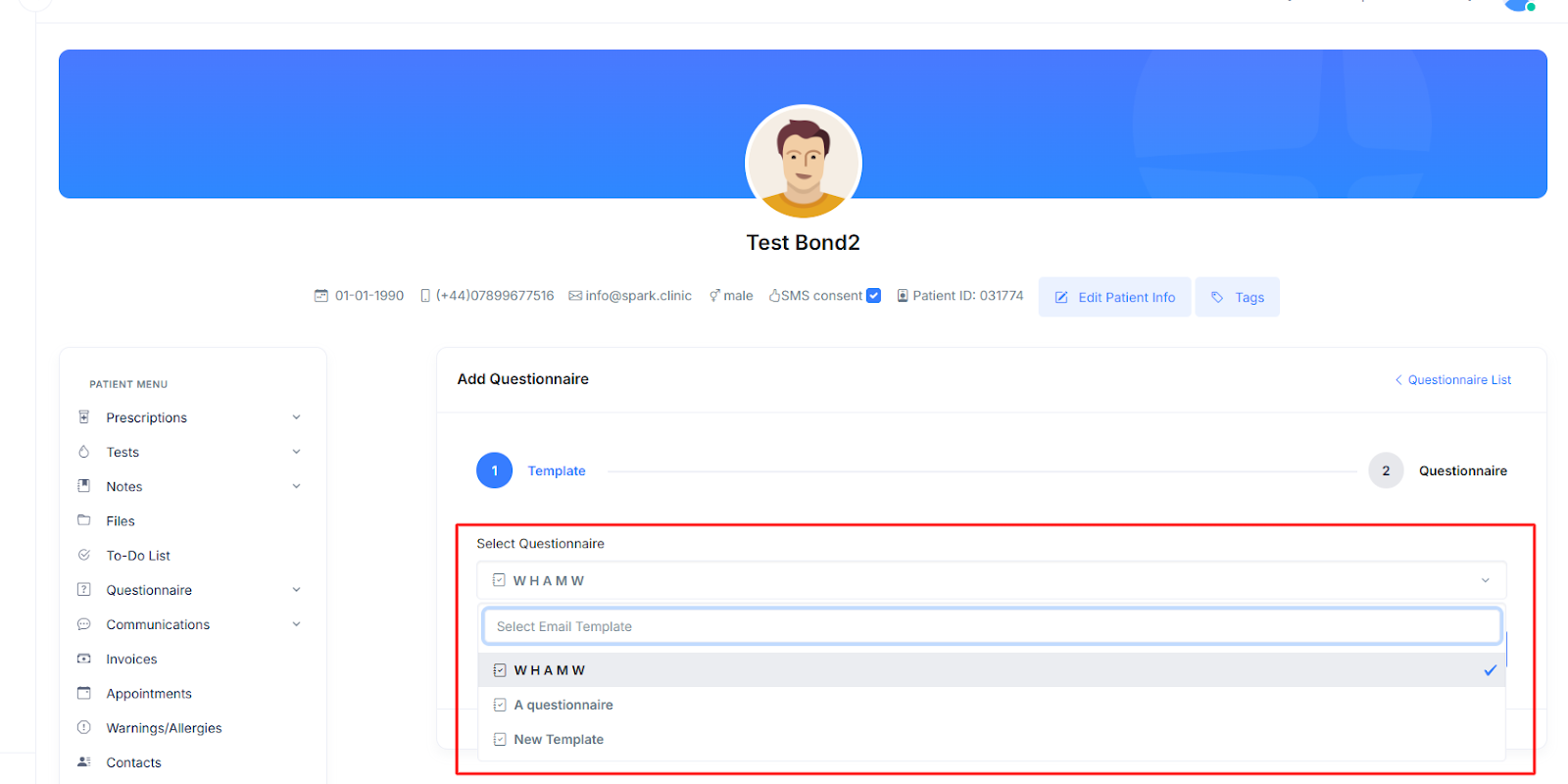
- Select from your pre-made templates which questionnaire(s) you wish to send to your patient. You can send multiple questionnaires at once.
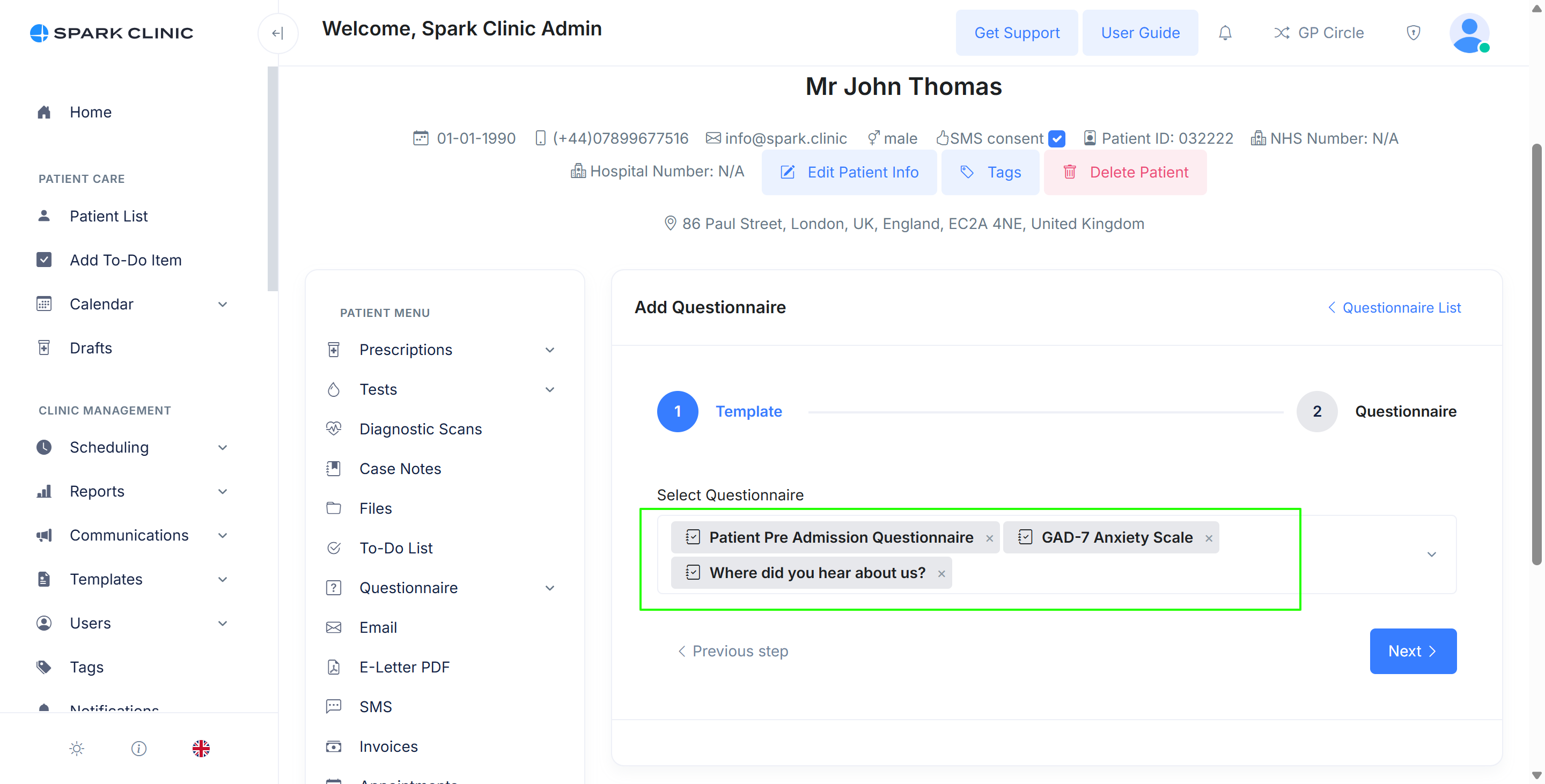
- Click 'Next'
- You will now see a preview of the questionnaire(s) you are sending to the patient.
- On this page you can set a reminder period. This is the time after which the system will start sending reminders to the patient to complete the form. Normally 24 hours is suitable unless you need the form more urgently
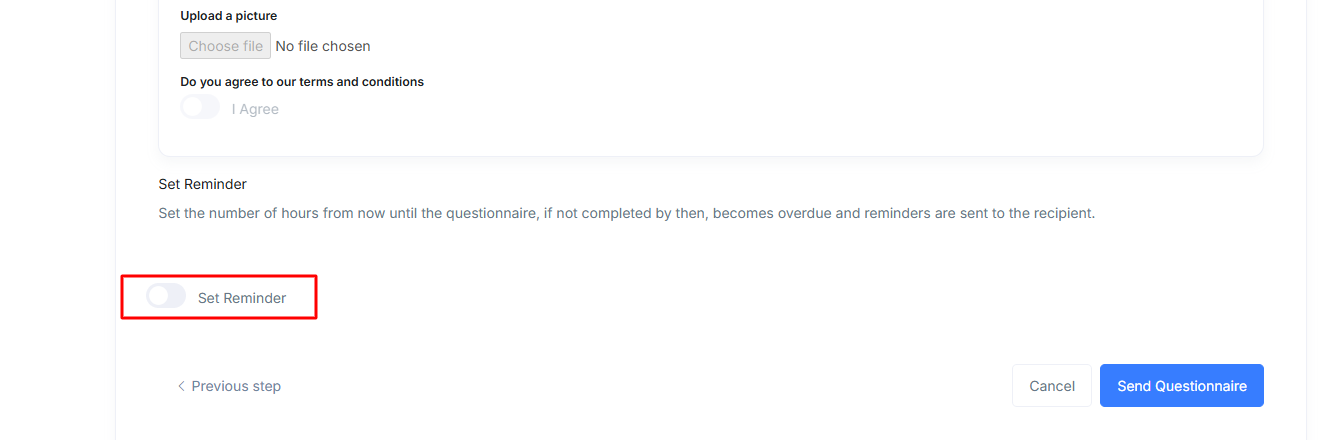
- Click the "Send Questionnaire(s)" button if you are happy with the selected questionnaire templates.
- The system will send email(s) to the patient, containing one questionnaire. If multiple questionnaires have been selected, then multiple emails will be sent to the patient each contiaining one questionnaire.
Patients Completing The Questionnaire
- Upon sending a questionnaire to your patient, they will receive an email informing them to complete your questionnaire.
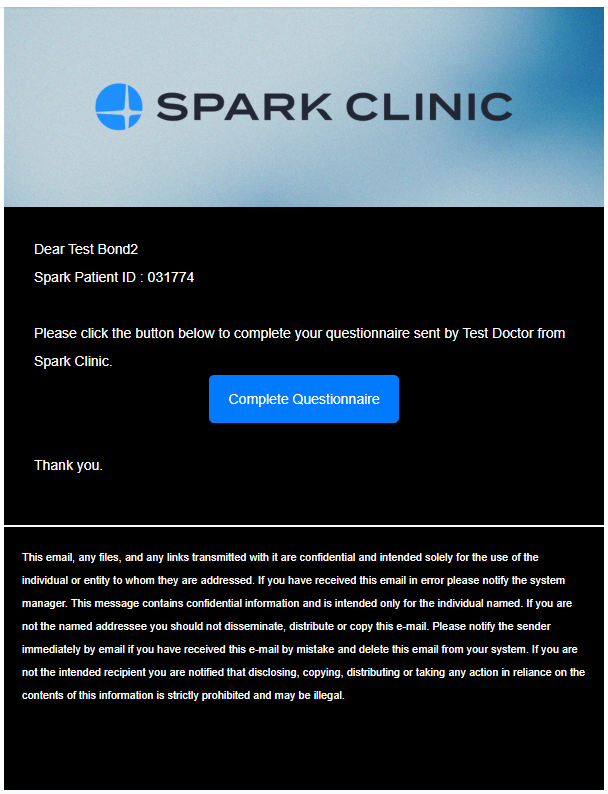
- They must note their Spark Patient ID which they will be prompted to enter before accessing the questionnaire.
- The patient must click the 'Complete Questionnaire' button to fill out the questionnaire
- They will be prompted to enter their Spark Patient ID and Date of Birth before they can access the questionnaire
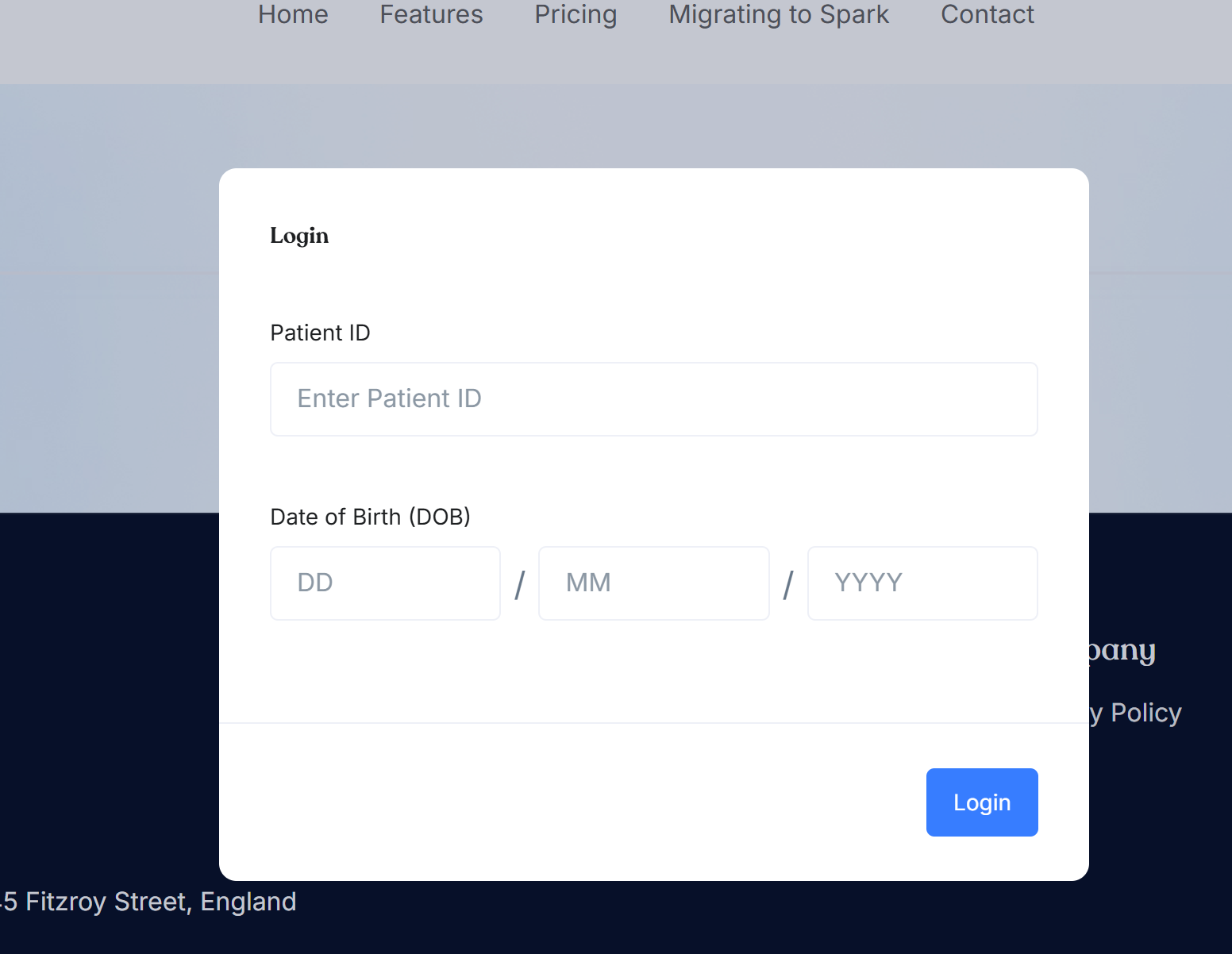
- Upon entering this information, they will be able to complete the questionnaire and submit it to you.
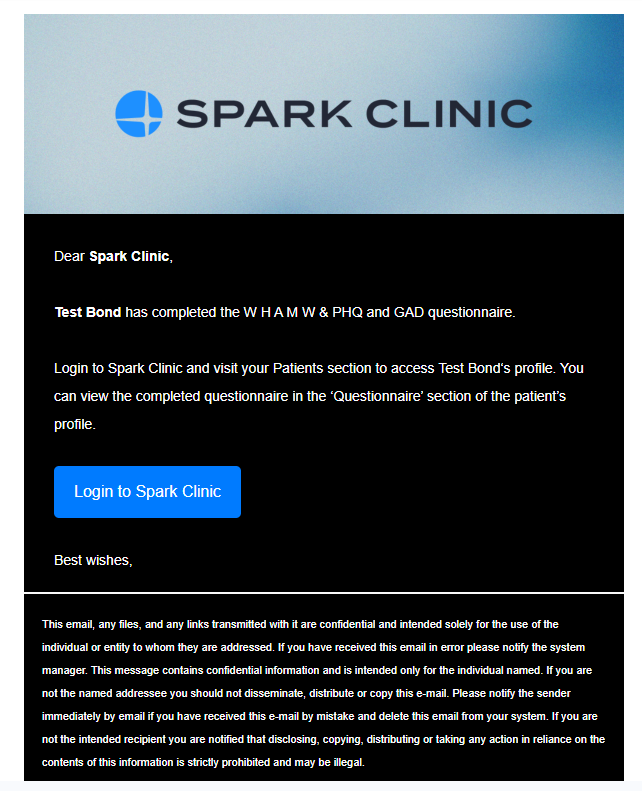
- Your clinic will now receive an email notification to inform you that the questionnaire has been submitted.
Cancelling Questionnaires and Reminders
To cancel a questionnaire and stop the associated reminder email from being sent to the patient, follow these steps:
- Go to the patient's profile.
- Select "Questionnaires" from the patient menu.
- On the resulting screen, use the bin icon to delete the questionnaire.
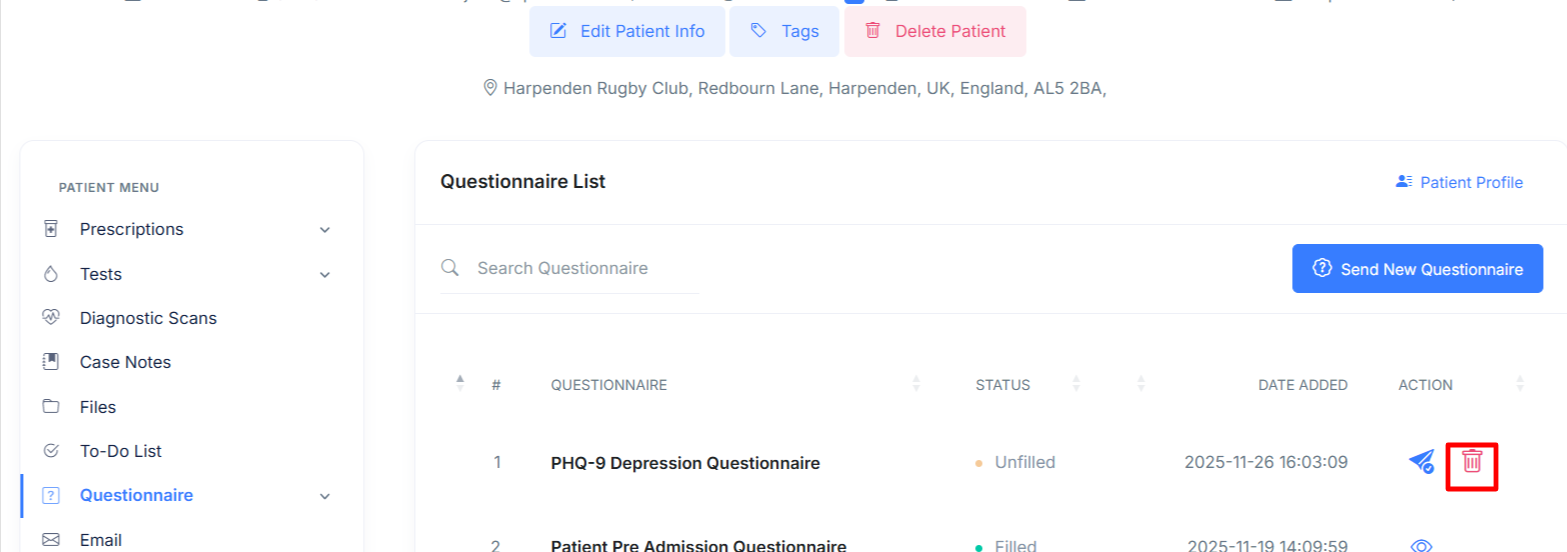
- Please note you cannot delete filled out questionnaires