Paper Prescriptions
To create paper prescriptions, go to a patient's profile and select the prescriptions section. Select 'Paper Prescriptions'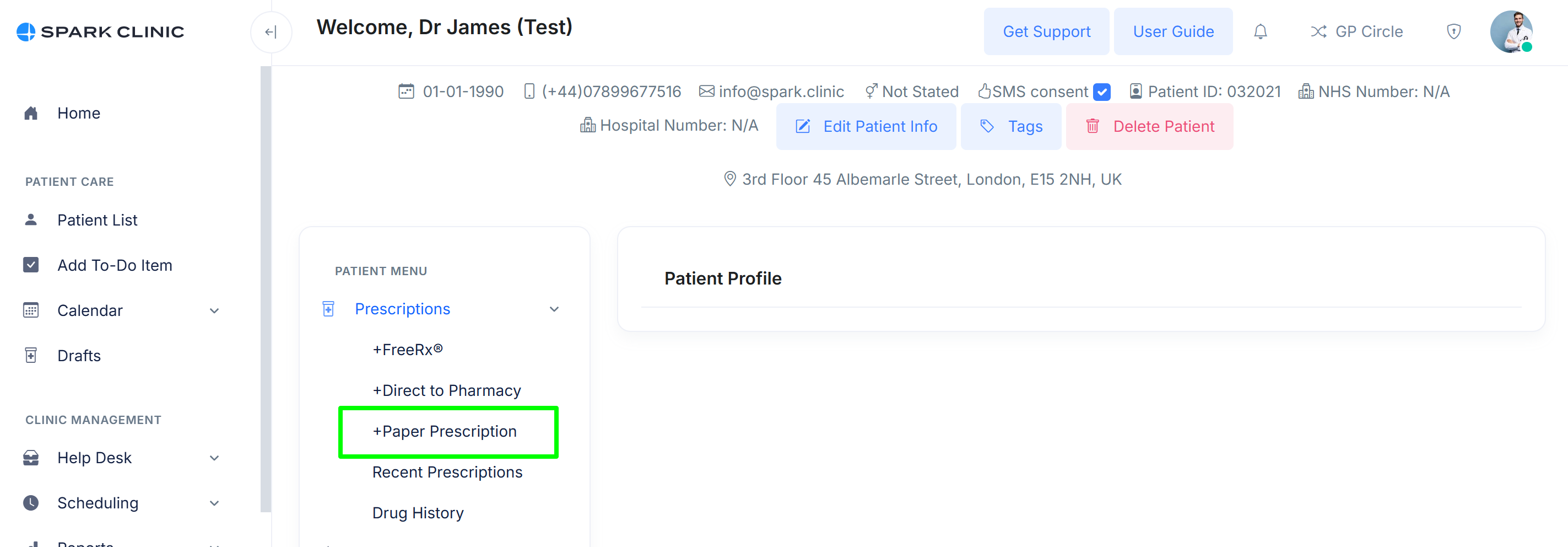
Create your prescription as normal see https://help.spark.clinic/articles/creating-a-new-prescription
Click the 'Print Now' option and you will be presented with 2 options, A4 and FP10.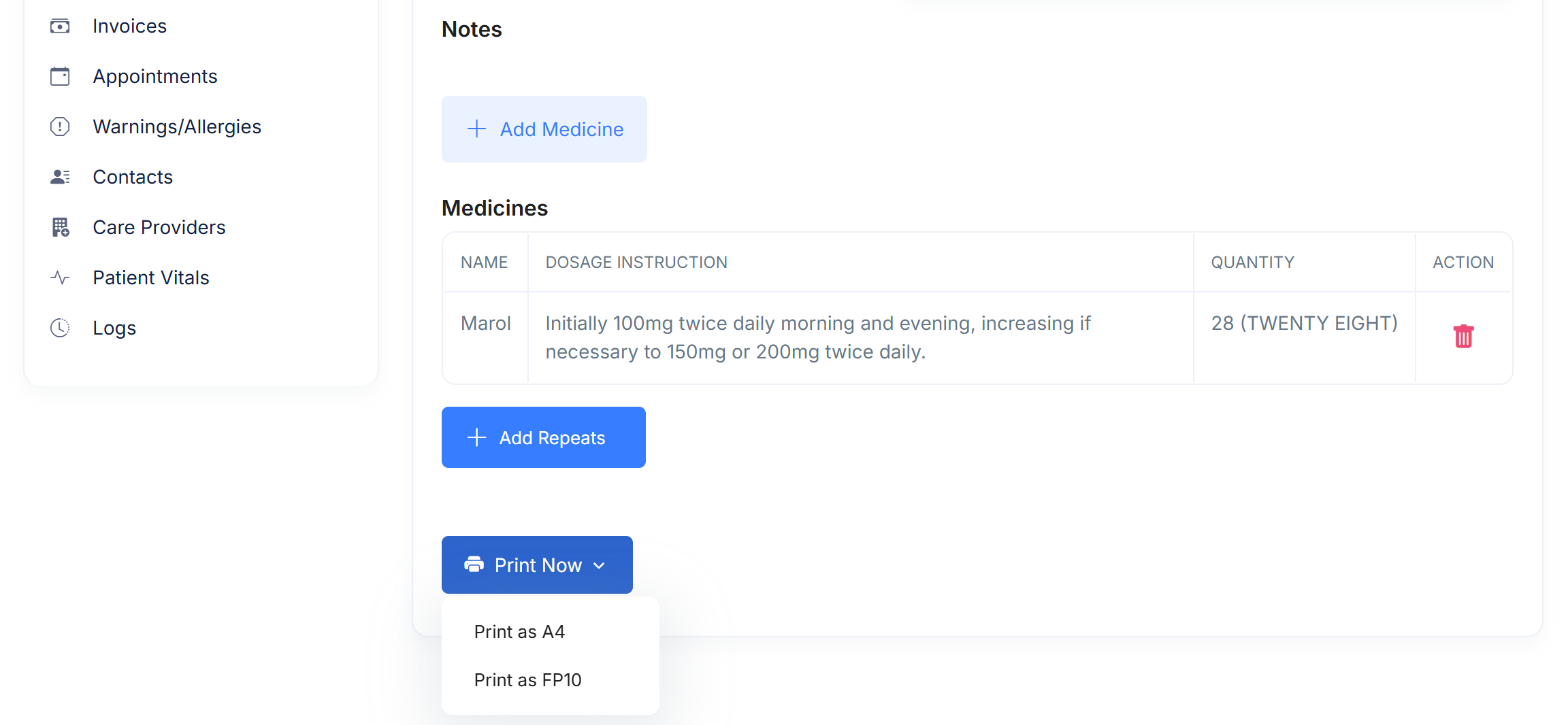
Select the desired paper format. FP10 follows the NHS FP10 paper format and A4 will provide you with a standard paper prescription.
Upon selecting the required format, the system will generate the document which will be stored against the prescription in the prescription list of that patient. Click the download button to print off the prescription.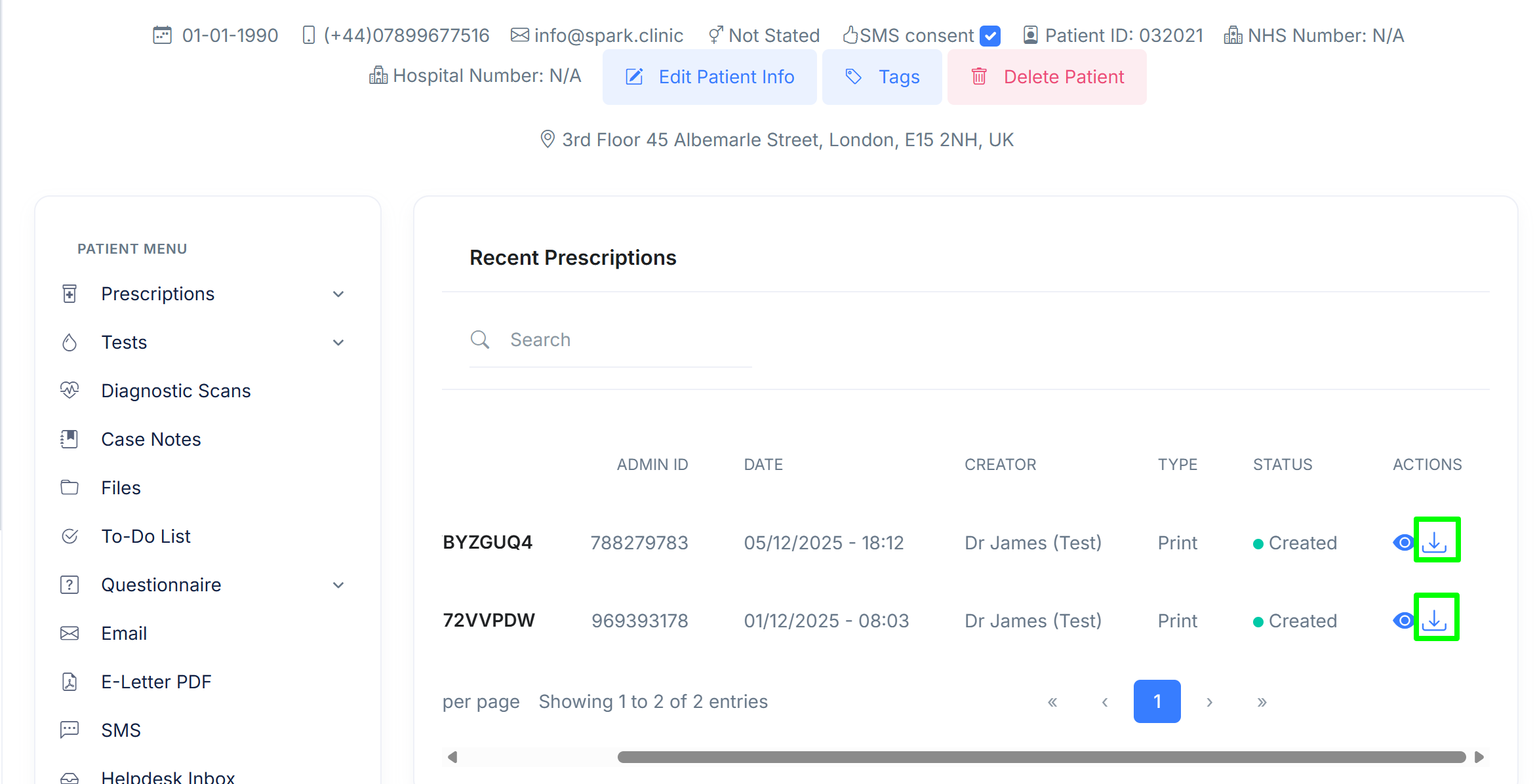
You must ensure to sign each paper prescription by hand using indelible ink and in accordance to the relevant regulations in your jurisdiction.
Controlled Drugs
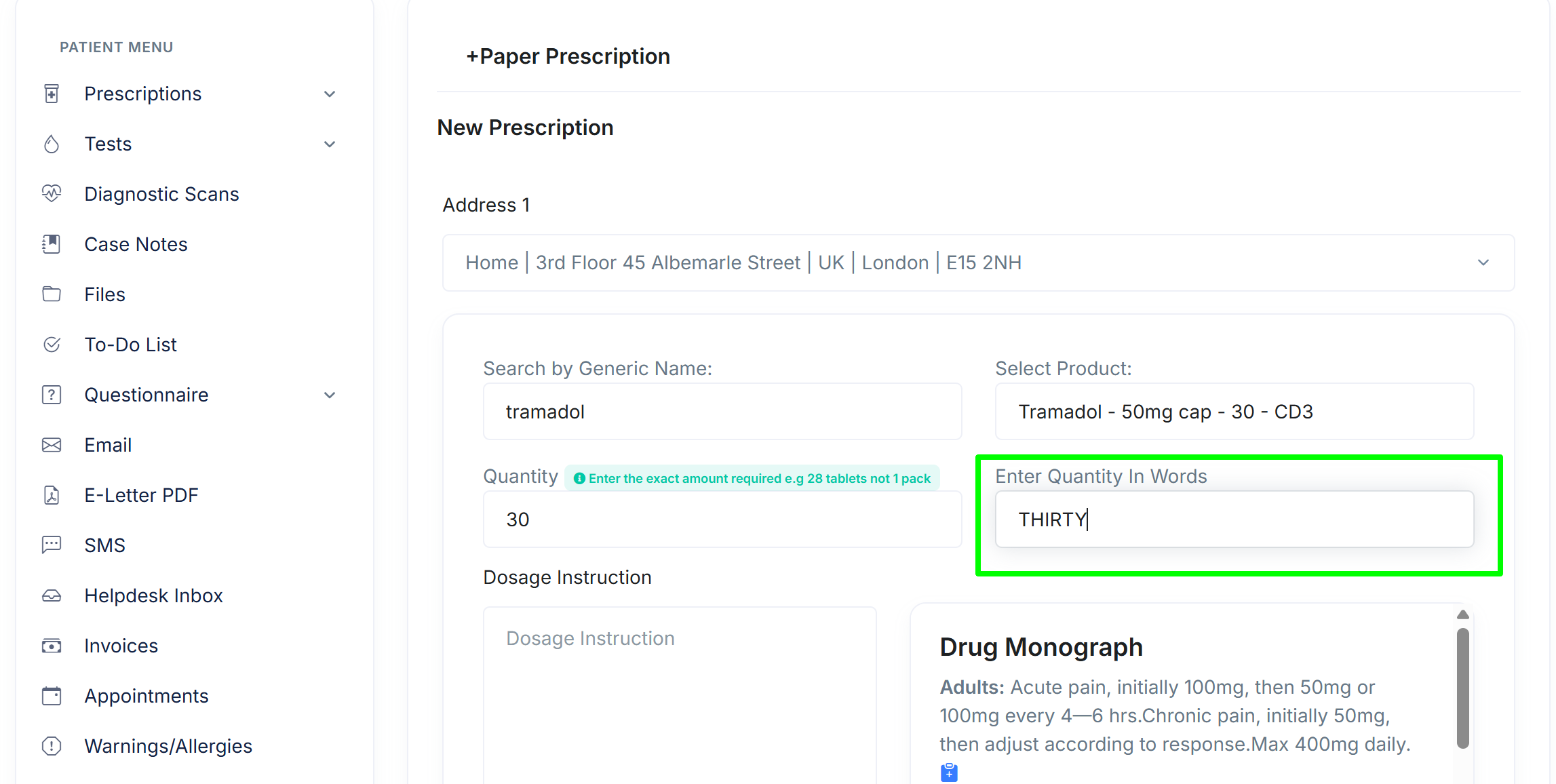
The FP10 paper format allows you to write prescriptions and print them on your issued FP10PCD forms. This enables you to quickly write prescriptions for Schedule 2 and 3 Controlled Drugs whilst automatically maintaining an audit trail in Spark Clinic software.
Follow the same steps above. Our system automatically requires quantity in words to assist in ensuring that every prescription you generate is fully regulatory compliant.