Prescribing Support for Prescribers
Spark clinic also offers a feature called the Drug Monograph this feature assists in the process of creating prescriptions.
Drug Monograph
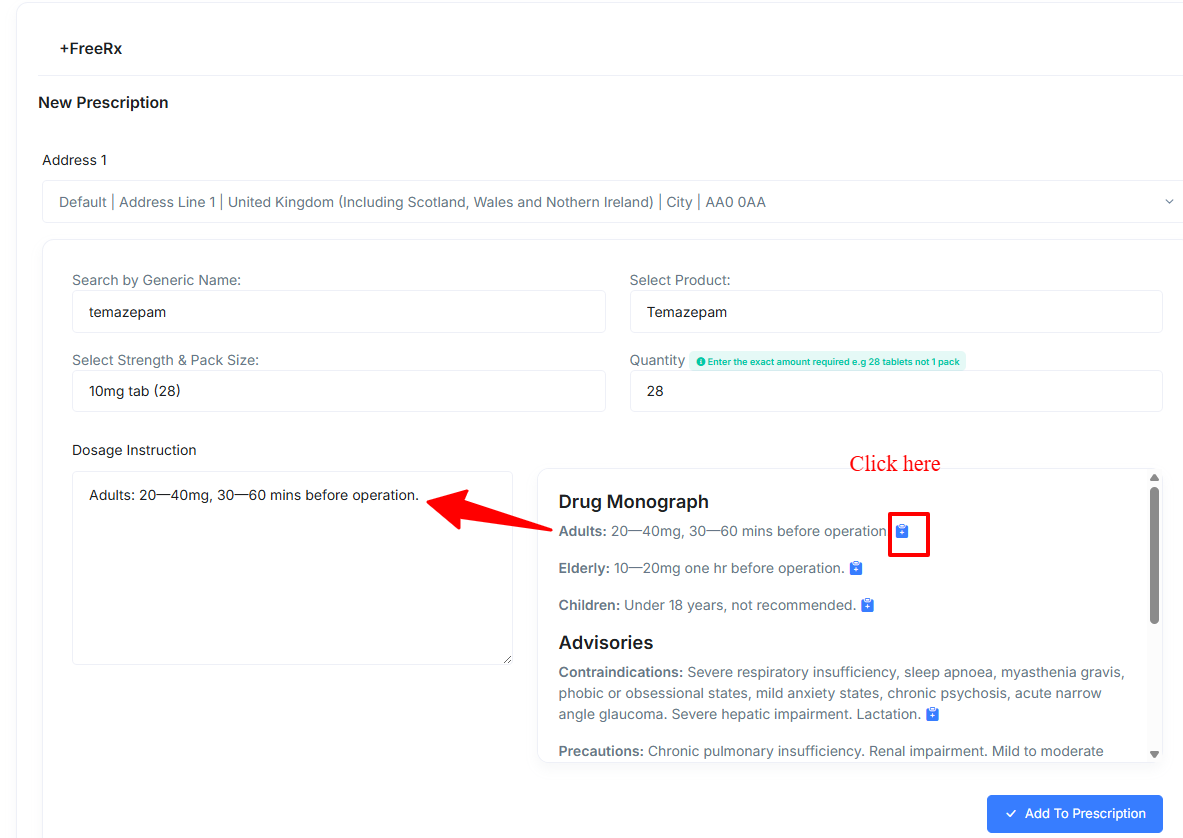
- The drug monograph allows you to populate your prescriptions quickly with standard dose instructions. To achieve this, you simply need to click the clipboard icon and this will automatically pull the selected dose in to the prescribed item's dosage instructions.
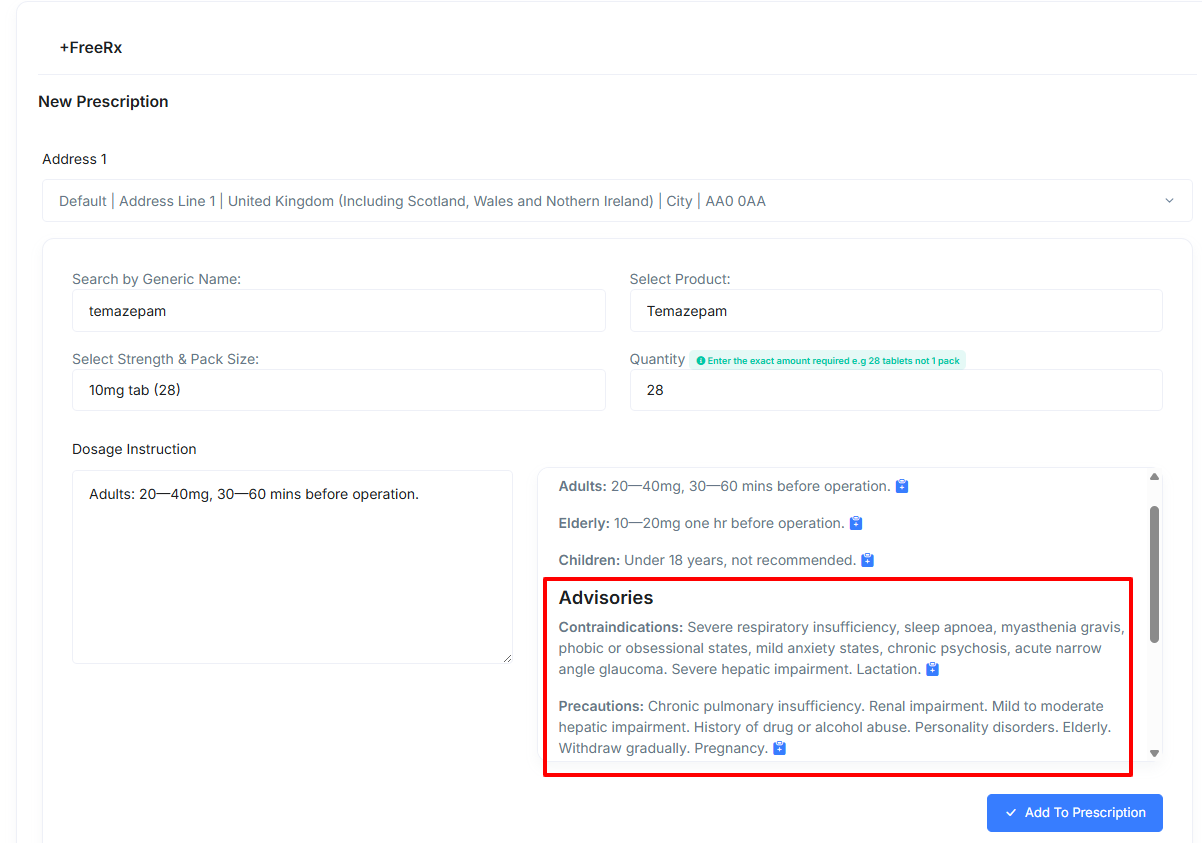
- Contraindications, Precautions, Side Effects and, Interactions can also be used in the same way.
Prescription Tips
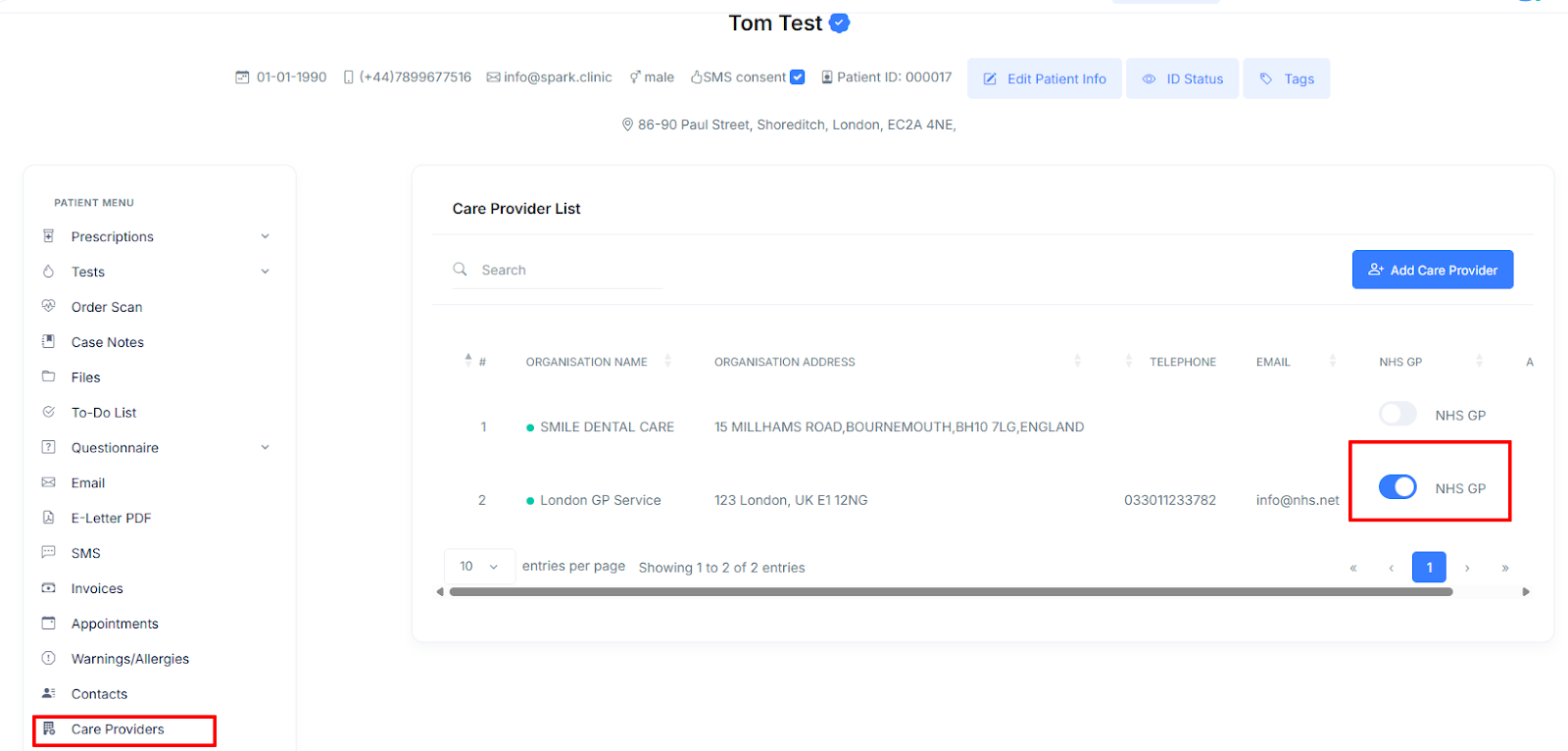
- If a care organisation under the patient's profile is designated as an NHS GP, an email is automatically sent to the patient's NHS GP when a prescription is created.
Assigning A Prescription To An Existing Case Note
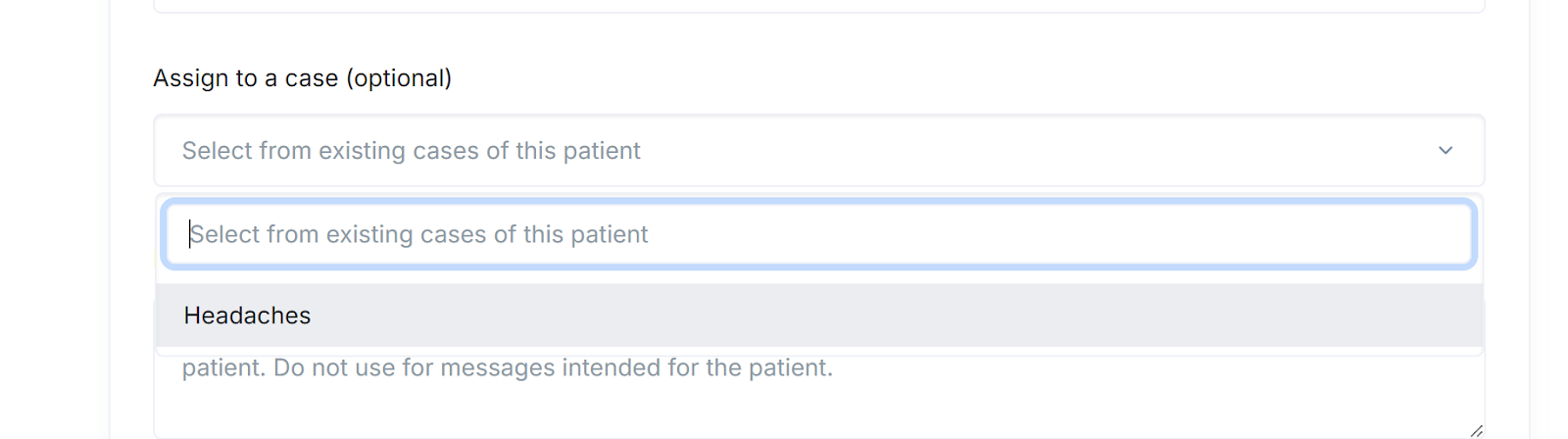
You can associate a prescription with an existing case note. When a new prescription is assigned to a case note, it will appear within that case note's timeline. This integration provides a chronological view of the patient's treatment.
This optional selection can be made during the prescription creation flow.