
Clinic Management Settings
Spark.Clinic offers password protection for patient documents, allowing access only to the patient using their email address and date of birth. This feature is also beneficial for sharing documentation with other organisations to ensure that only those given the password can access the document.
Enabling Password Protection Of PDF Letters
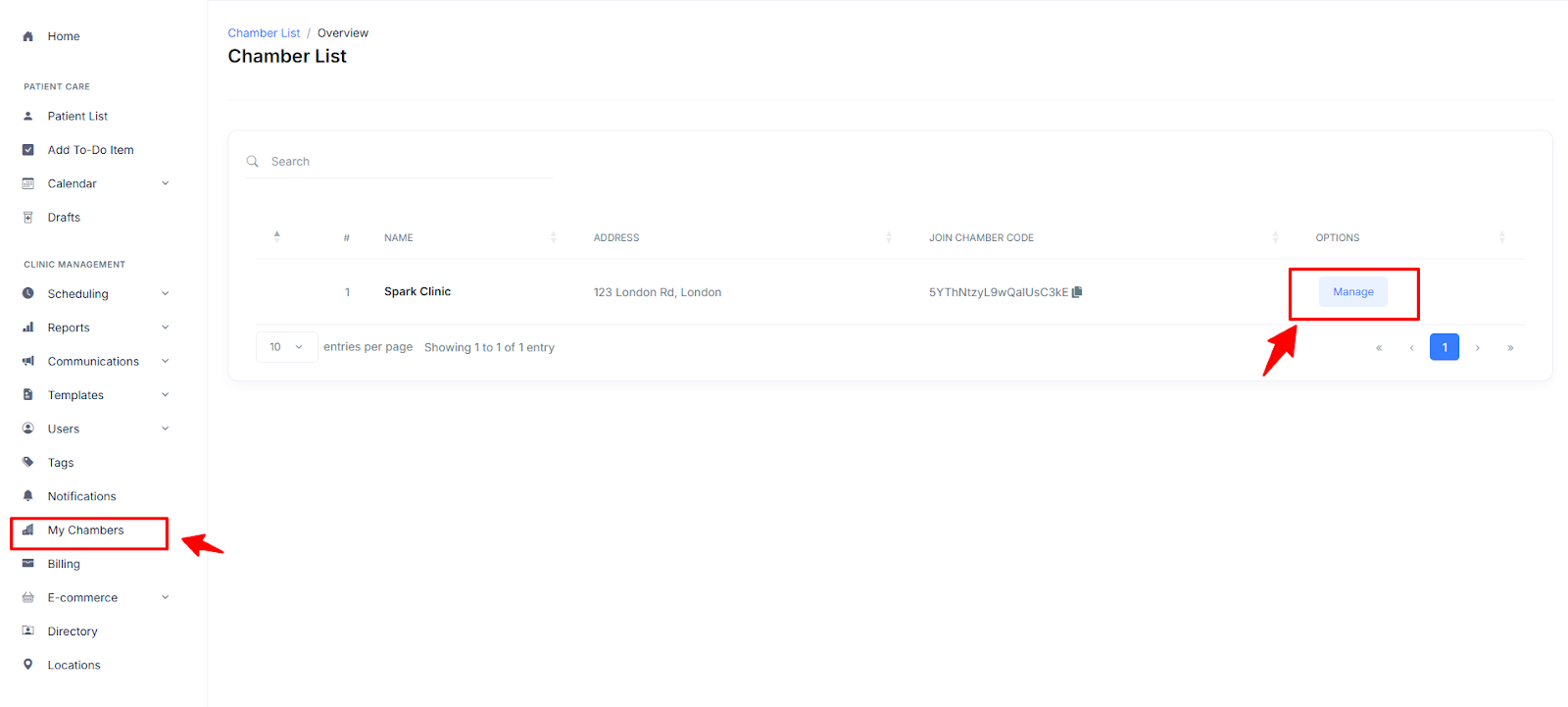
- To enable PDF password protection for e-letters, navigate to the 'Clinic Management' tab in Chambers.
- ÃÂ From there, select 'My Chambers' and click the 'Manage' button next to the chamber you wish to apply this feature..
- Next, click to enable the 'Encrypt Letter PDFs' toggle on.
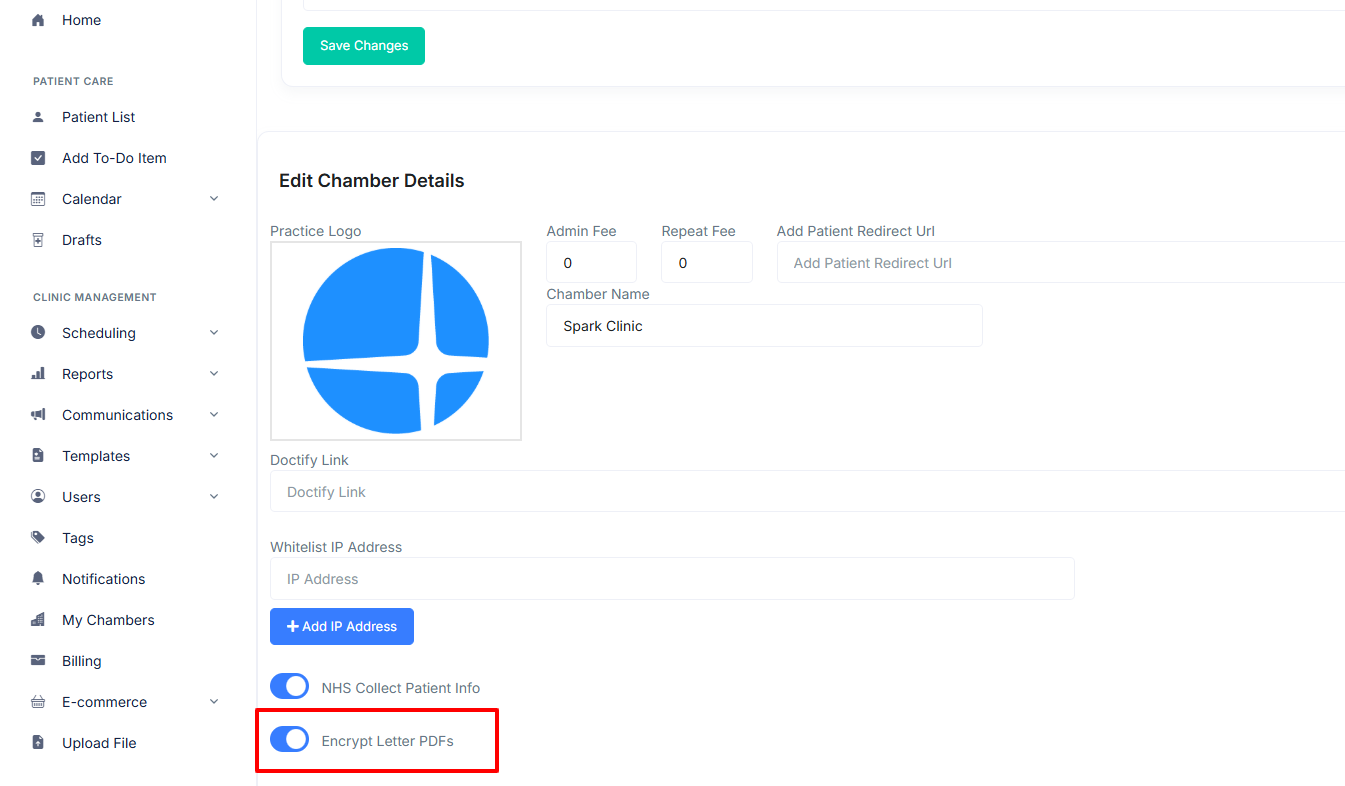
- Now, PDF E-Letters sent to patients in your clinic will automatically require the patient's date of birth (DDMMYYYY) as a password to open.