Prescriptions
You can generate electronic and paper prescriptions directly from a patient's menu in Spark Clinic. If you are not a registered prescriber, these prescriptions will require a prescriber's review and signature before being finalised.
Our electronic prescriptions are supplied by clynxx.com
Creating a new prescription
- To create a new prescription, go to the patientâs profile for whom you would like to create a prescription, by selecting a patient from the patient list.Â
- In the "Patient Menu" select "Prescriptions", then select your prescription type.
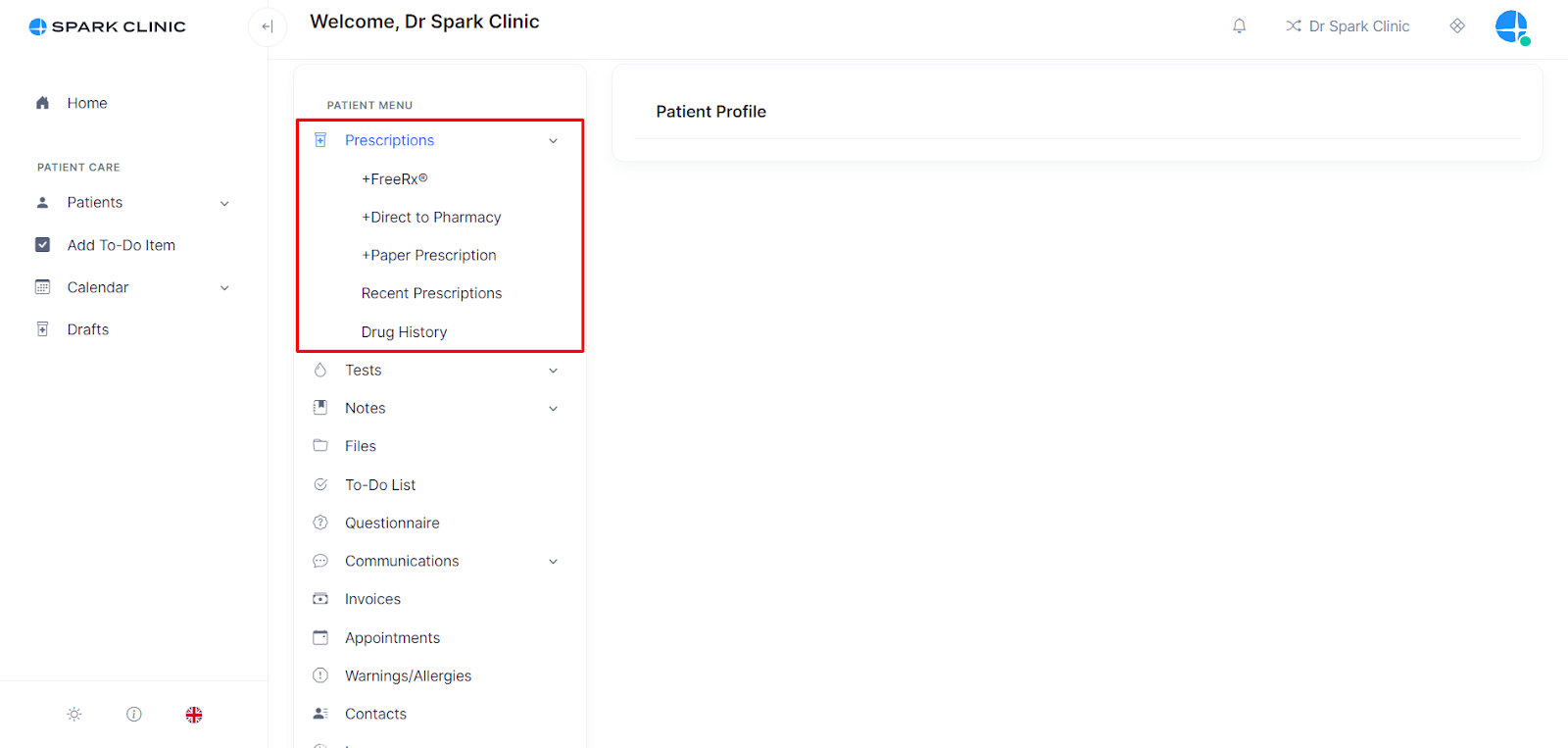
FreeRx® prescription
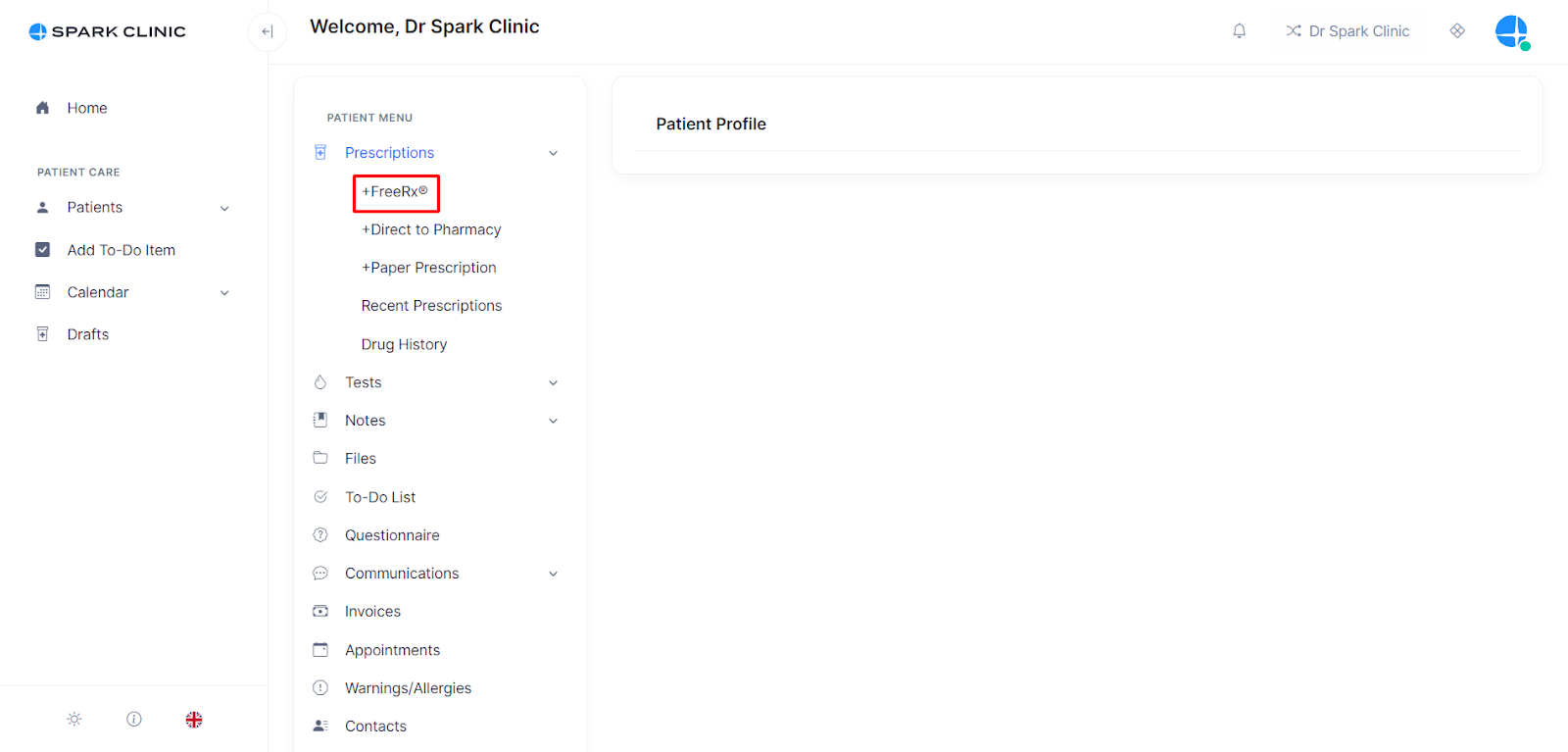
- To create a FreeRx® prescription, firstly select âFreeRx®â.
- Select the patientâs preferred address then add the medication name, dosage instruction and quantity.
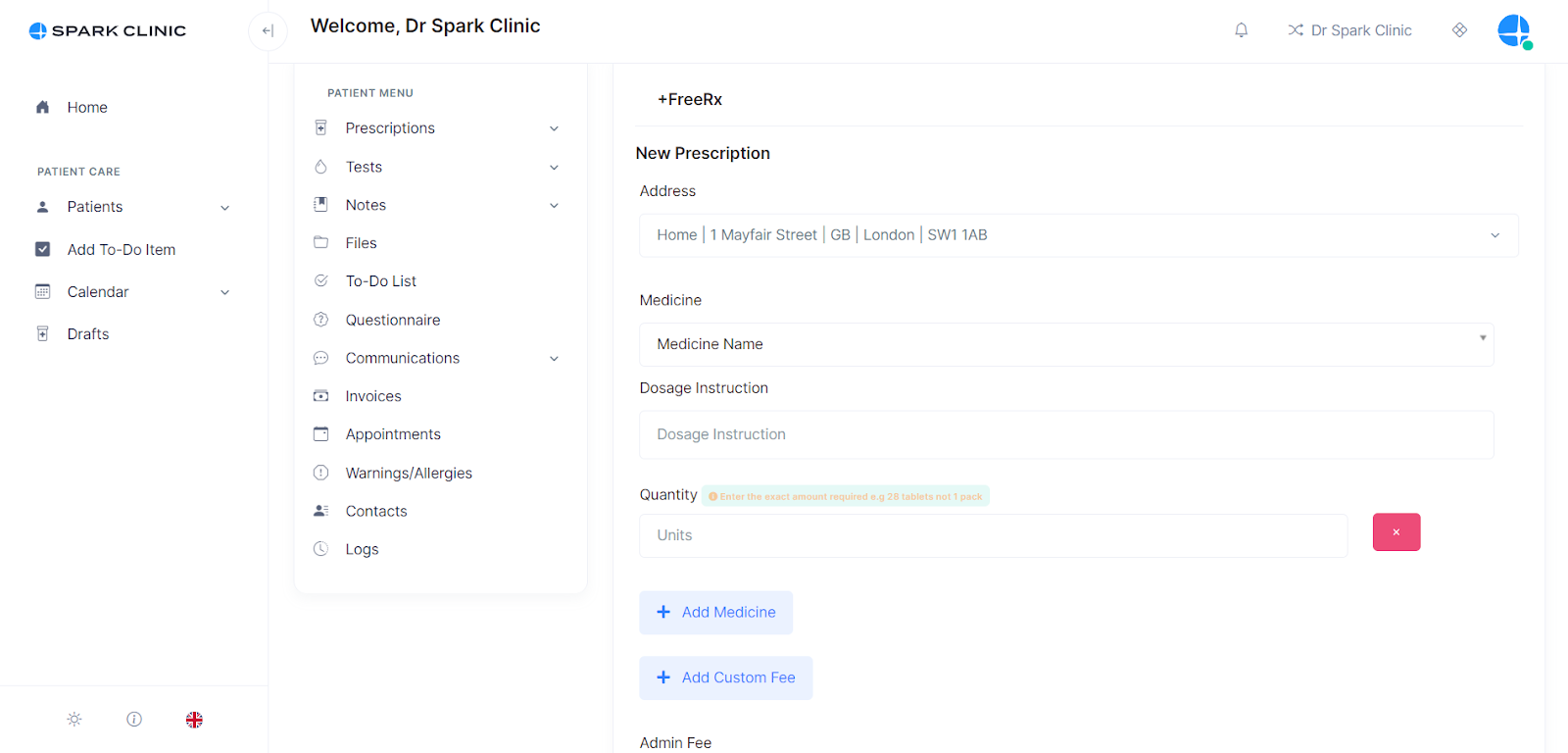
- Add another medicine by selecting add medication if there is more than one medication on the prescription.
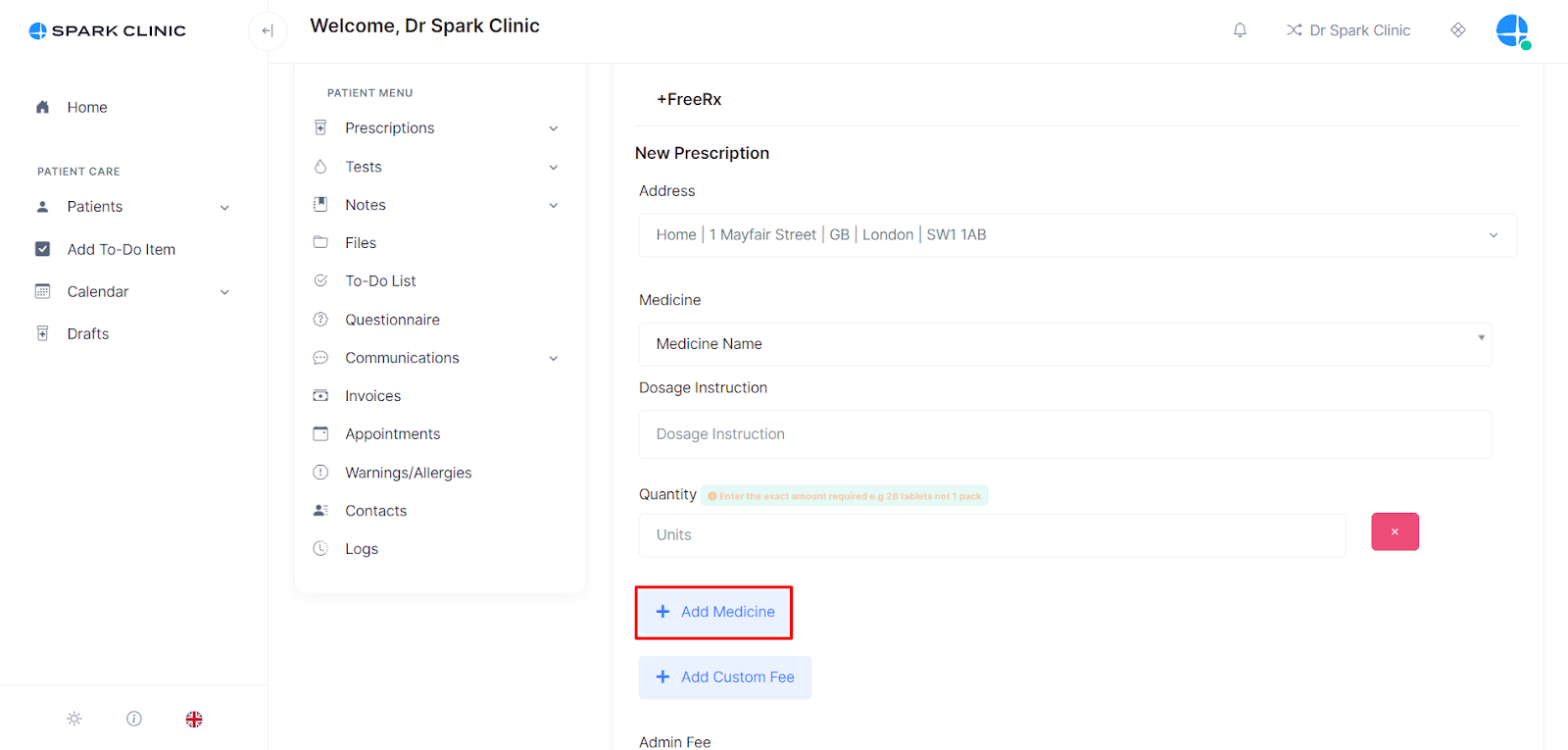
- Add an admin fee, and any notes required for the pharmacist (optional). To add admin fees please link your Stripe account to Spark.
- Select a billing status (whether the patient will pay for the prescription, or if it will be taken from the clinic credit).
- Select 'Sign Now' this will take you to a confirmation page.
- Review the prescription and select Sign Now once reviewed.
- Apply Signature.
Notes
- If âTo Payâ is selected, an invoice will be sent to the patient and upon payment, the prescription is then sent directly to the patientâs email and SMS.
- When you select 'Paid' this means the prescription transmission fee of £1 per prescription will be charged to your account on a monthly basis based on the number of transmissions made.
- The patient can take this prescription to any local pharmacy for dispensing including Boots, Superdrug, Well, ASDA, Morrisons, Day-Lewis and local independent pharmacies.
- Please remind the patient not to download the prescription themselves as this should only be performed by the pharmacy team.
Direct To Pharmacy
- To create a Direct To Pharmacy prescription, firstly select Direct To Pharmacy.
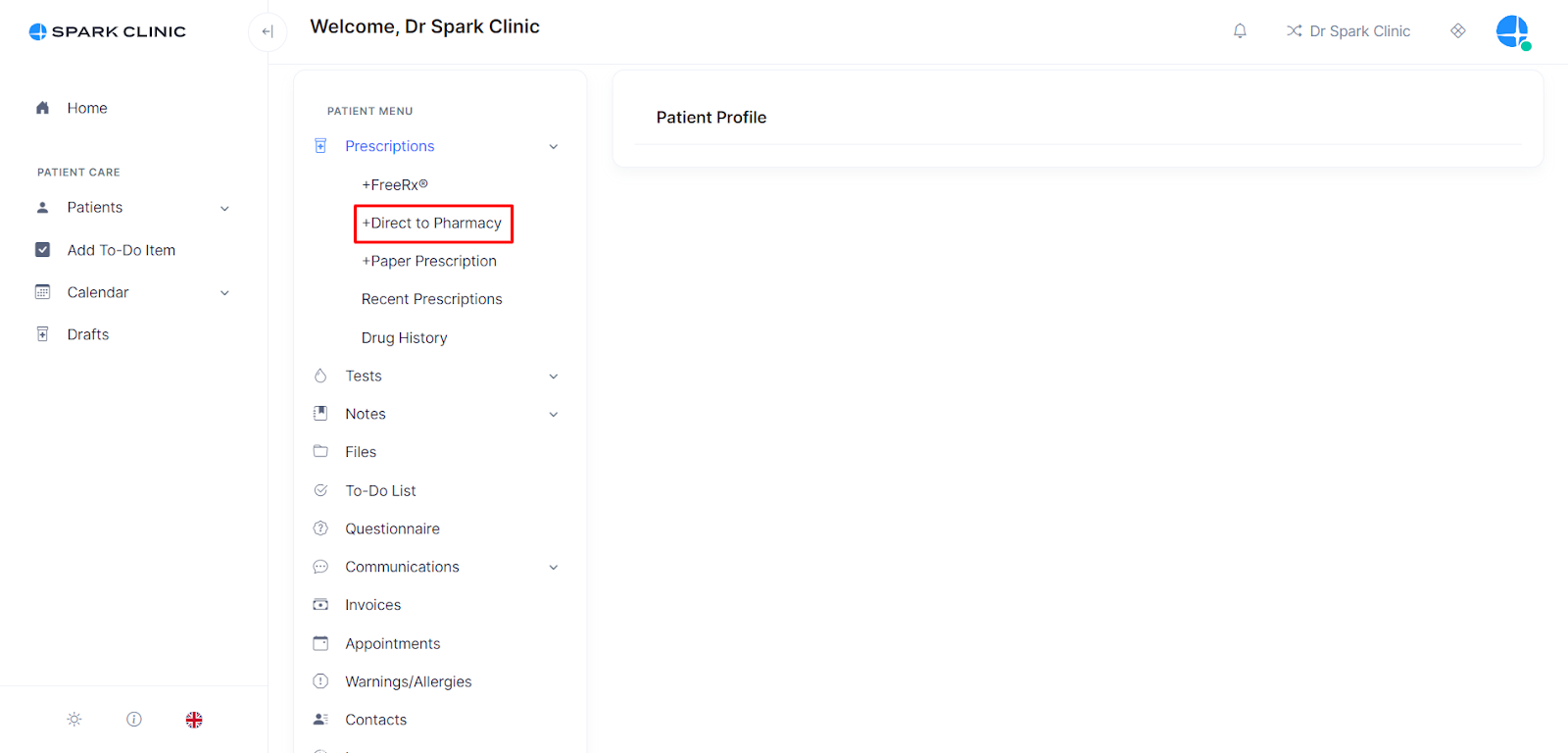
- Select the patientâs preferred address then add the medication name, Dosage instruction and number of packs required. Partner Pharmacies can only dispense private prescriptions on an original pack basis.
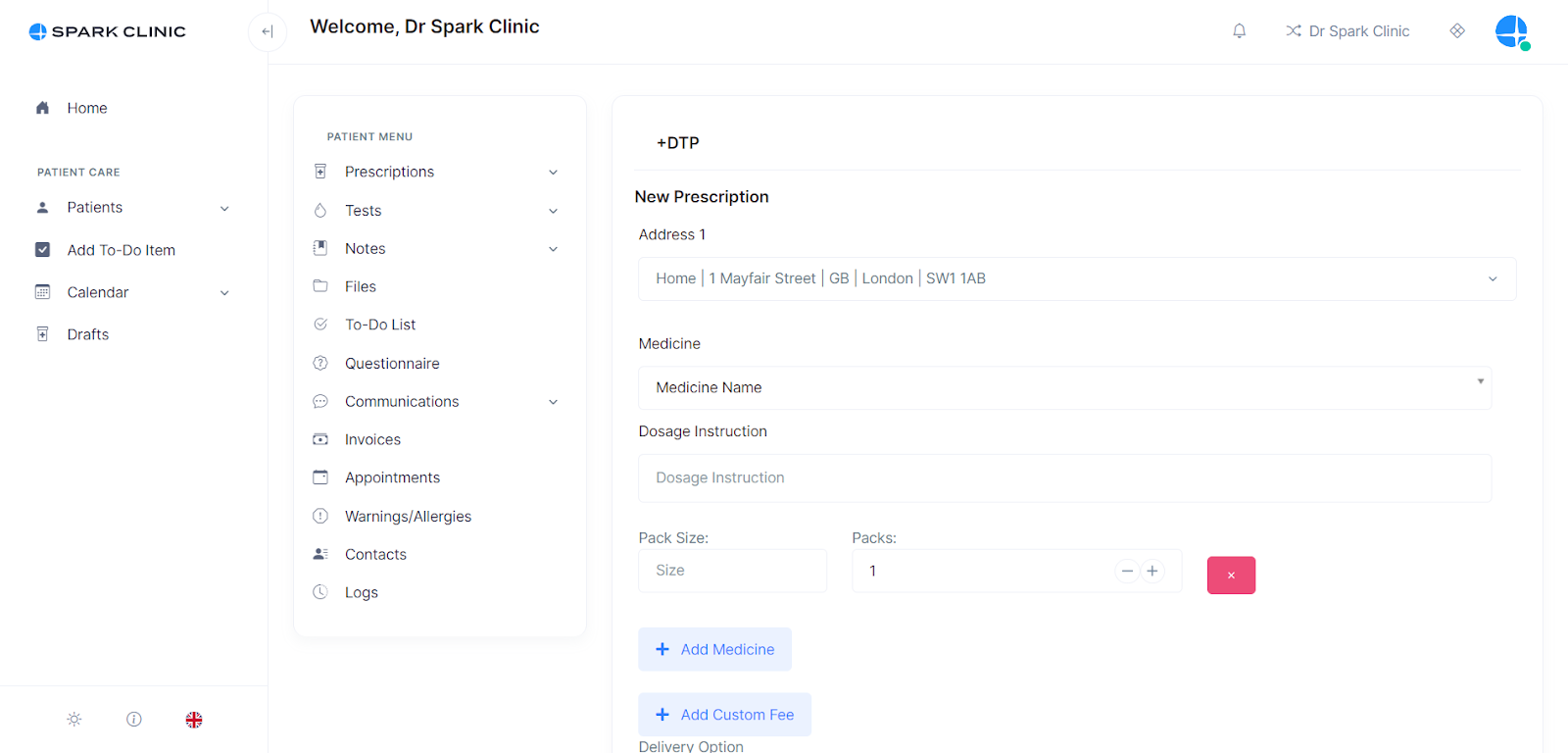
- Add another medicine by selecting add medication if there is more than one medication on the prescription.
- Add an admin fee, and any notes required for the pharmacist (optional). To add admin fees please link your Stripe account to Spark
- Select a billing status of âTo Payâ unless your practice wishes to pay the pharmacy the full fee of the dispensing of the prescription.
- Select 'Sign Now', this will take you to a confirmation page.
- Review the prescription and select Sign Now once reviewed.
- Select Apply Signature.
- If âTo Payâ is selected, an invoice will be sent to the patient and upon payment, the prescription is then sent directly to the partner pharmacy.
Paper Prescription
See details here : https://help.spark.clinic/articles/paper-prescriptions
Draft Prescription
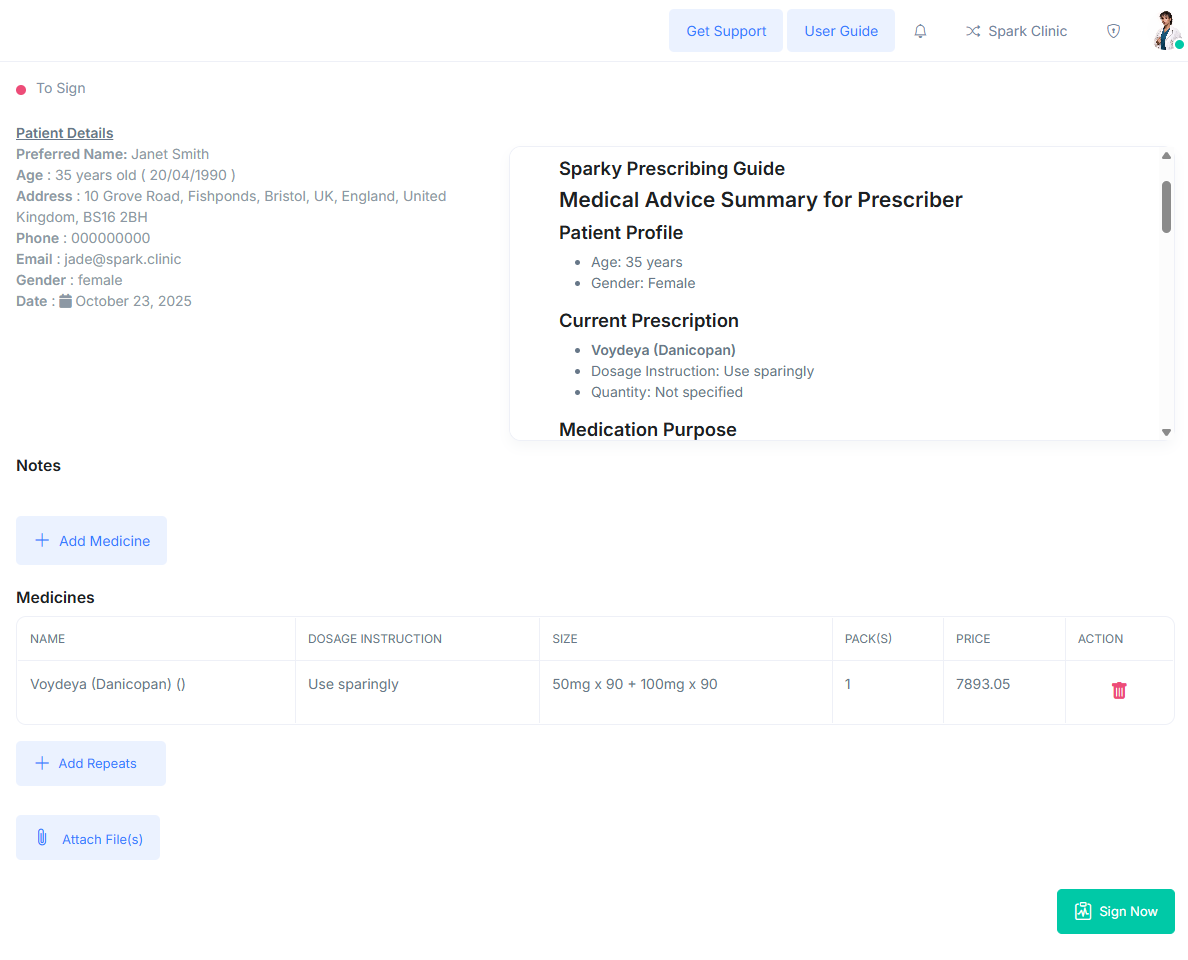
Non-prescribing staff can create draft prescriptions using the same method as prescribers. A prescriber will then need to sign off and send these drafts to complete the process.
How Does A Prescriber Access Draft Prescriptions?
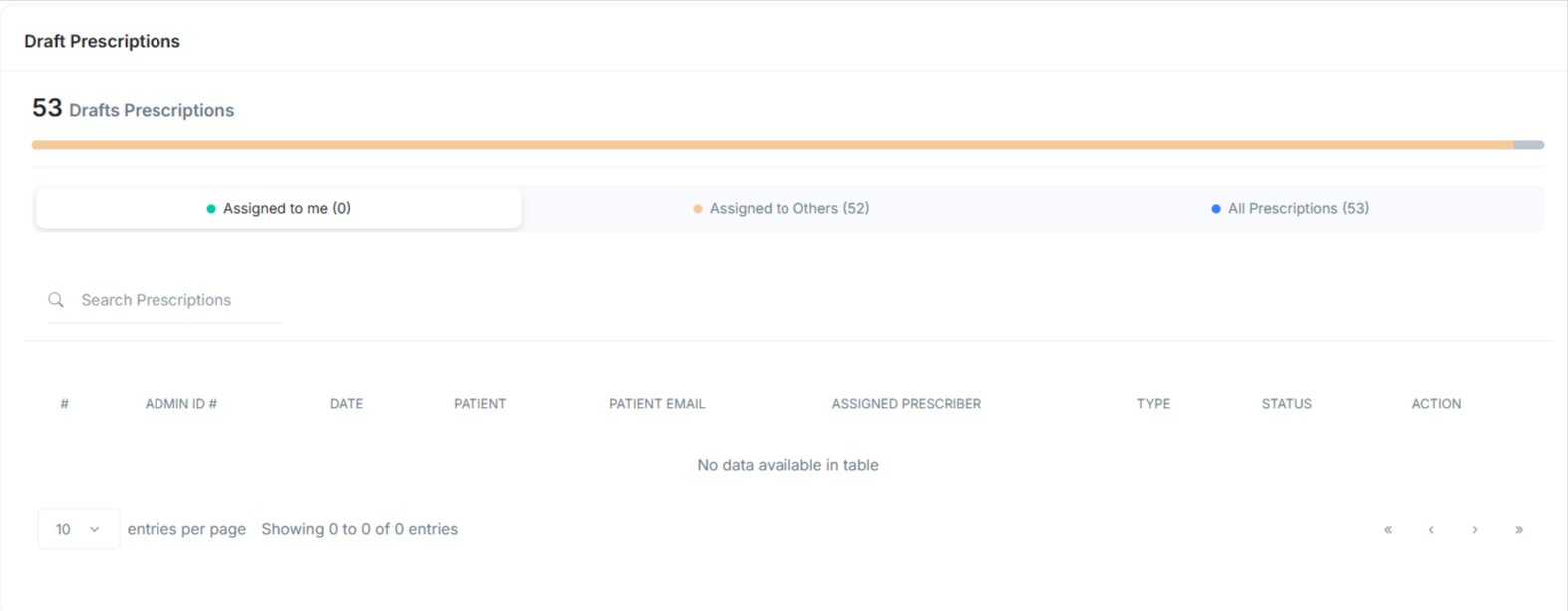
- To access Draft Prescriptions, navigate to the patient menu and select "Drafts."
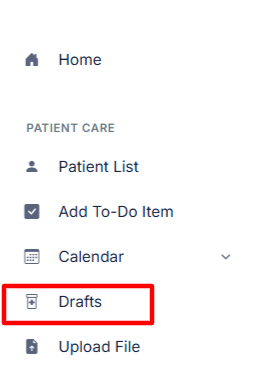
- Here as a prescriber you will have your own menu, where you can see what prescriptions need to be reviewed and signed.
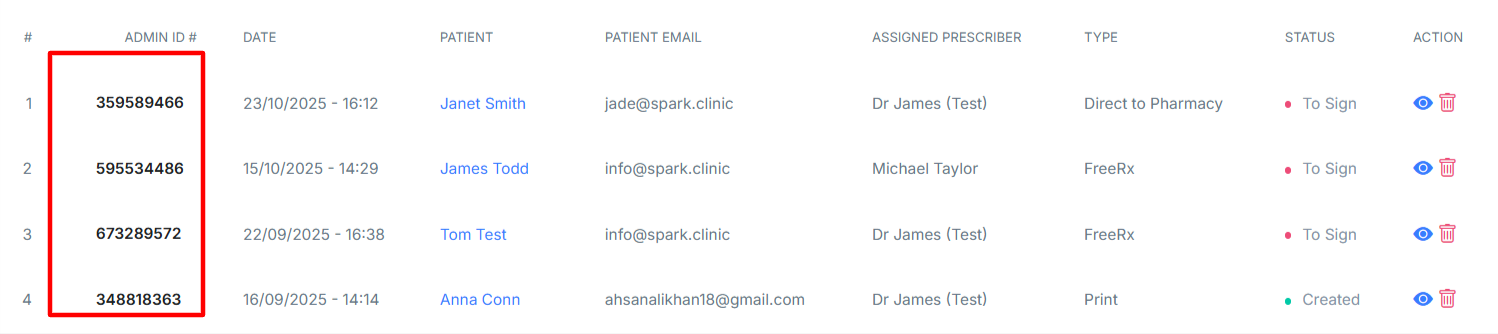
- Select the prescription you wish to sign by clicking the prescriptions unique number.
- Here you will be able to review and edit the prescription before selecting "Sign Now".