Booking Tags
When creating appointment related email templates, eg.appointment reminders or confirmations, you can use our "booking tags."
What are booking tags?
These tags act as placeholders that the system automatically populates with specific appointment details when the email is sent.Â
- {service}: This tag automatically inserts the name of the specific service the patient has booked (e.g., "Initial Assessment," "Follow-up Consultation").
- {appointment start}: This tag will be replaced with the exact date and time the appointment is scheduled to begin.
- {appointment end}: This tag will be replaced with the exact date and time the appointment is scheduled to end.
- {room name}: This tag inserts the name of the room or personnel associated with the appointment (e.g., "Consultation Room 1," "Dr. Smith's Office").
- {room email}: This tag inserts the email address associated with the room or personnel where the appointment is taking place.
How To Use Booking Tags
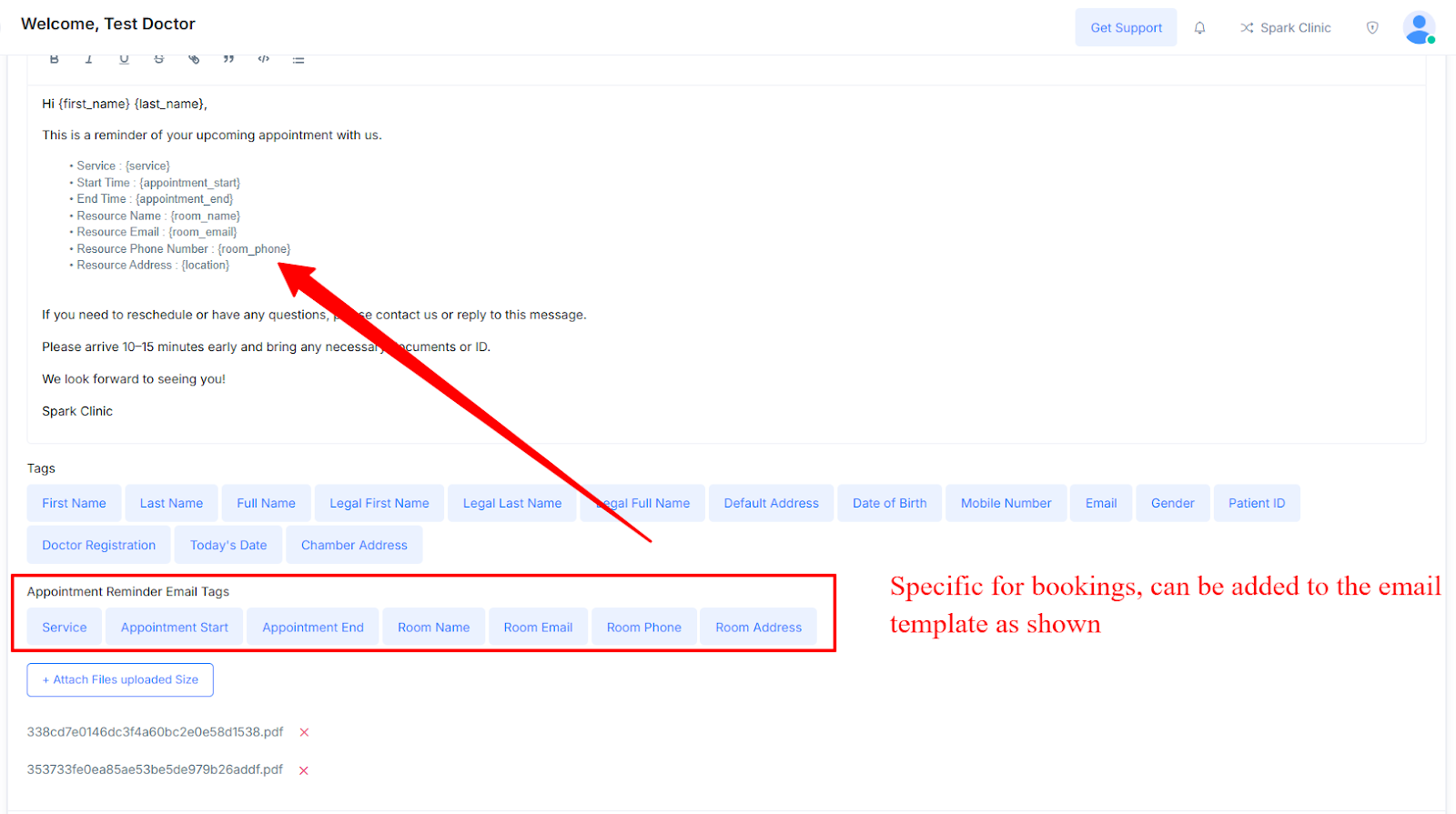
- To use them when you are creating an  Email Template, simply select any tag from the Appointment reminder email tags list below.
Example template
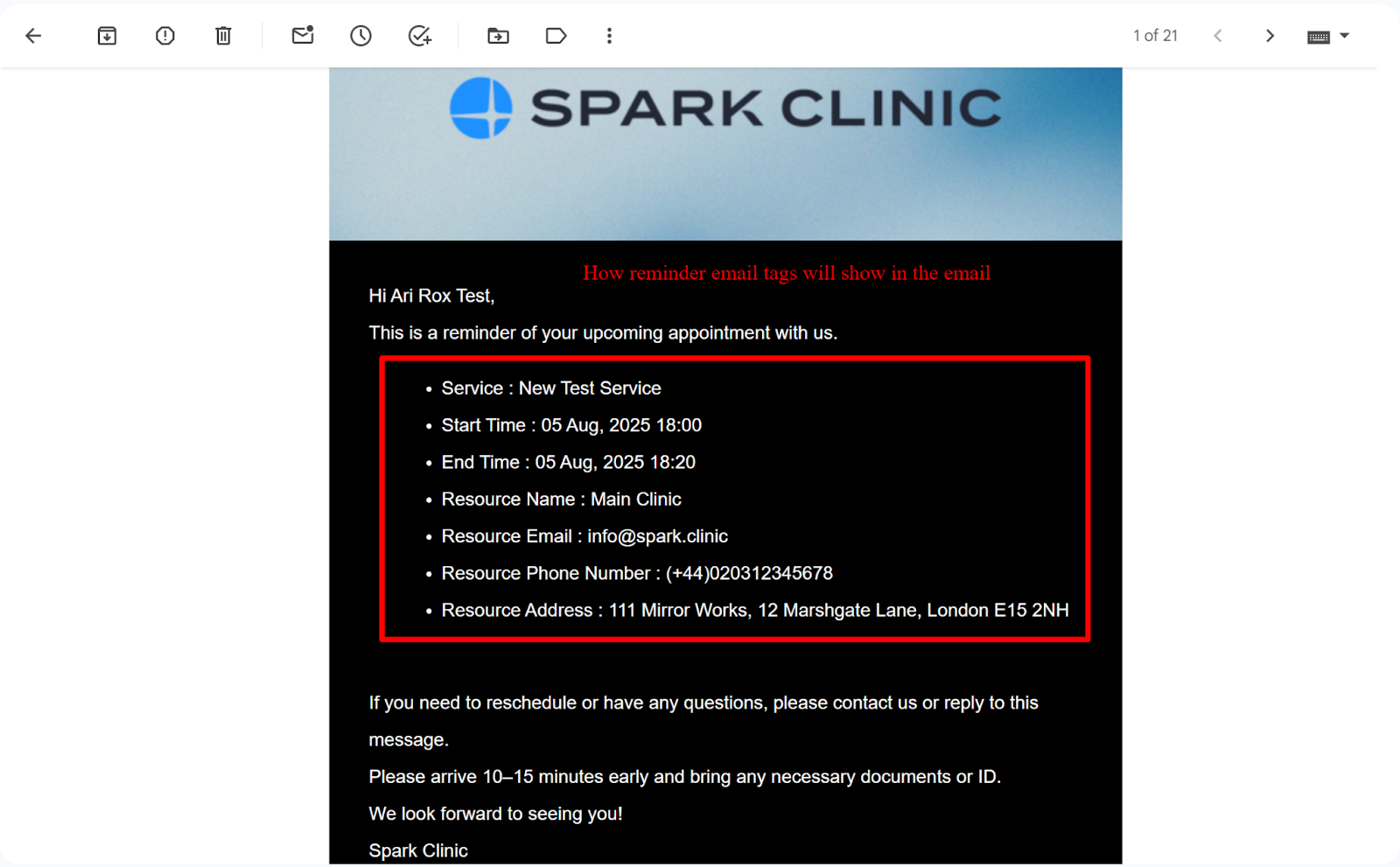
- Once your template is created, this is how it will appear to a patient receiving a booking with the added tags.
Example Reminder email (below)