
Patient Invoicing
Within the Spark clinic you have the ability to create your own invoices directly from our system.
- To create an invoice for a patient, first select the patient from the patient list. This will take you to the patient menu.
- To create a new invoice, go to the patient menu and select "Add New Invoice."
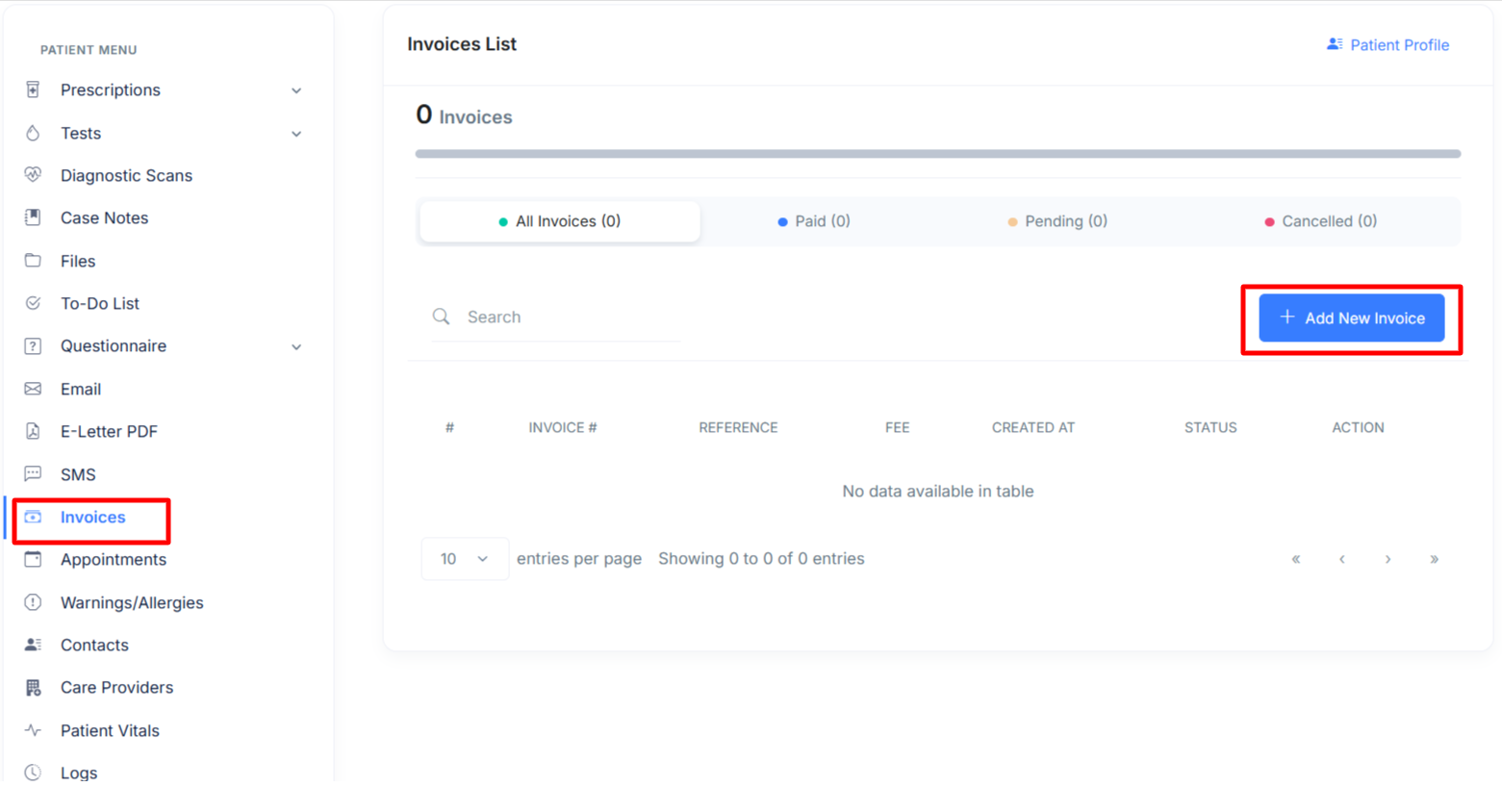
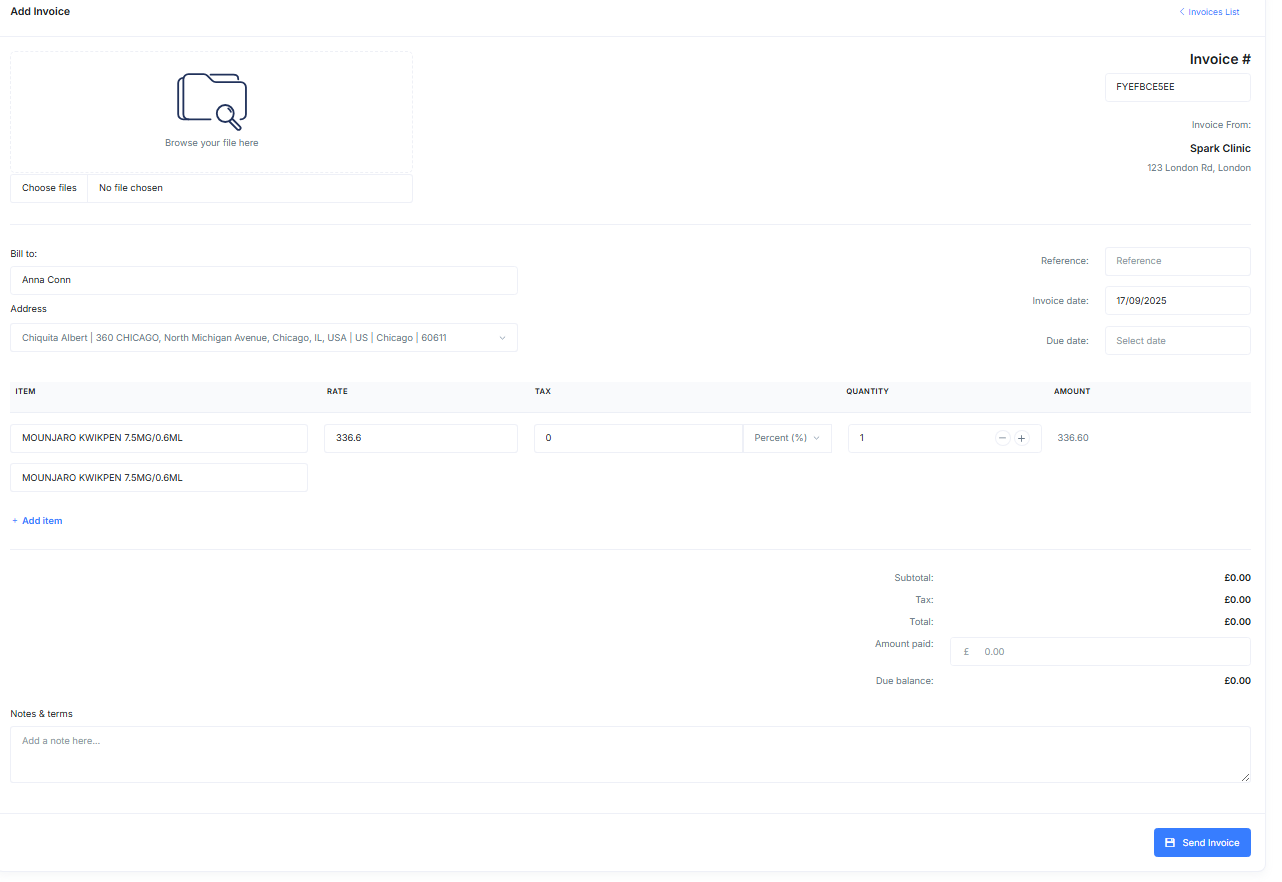
- Once the invoicing page appears, you can simply fill out the form and attach any desired files. After completing the form, press "Send Invoice."
Patient Invoicing Settings
Clinic managers can add the practice's bank details. This will automatically include these details on all invoices.
Adding Your Bank Details To Your Invoices
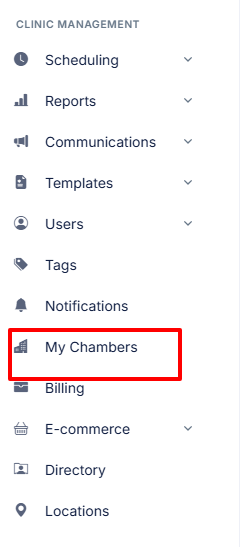
- To access the chamber settings, first go to âÂÂmy chambersâ under the clinic management menu.
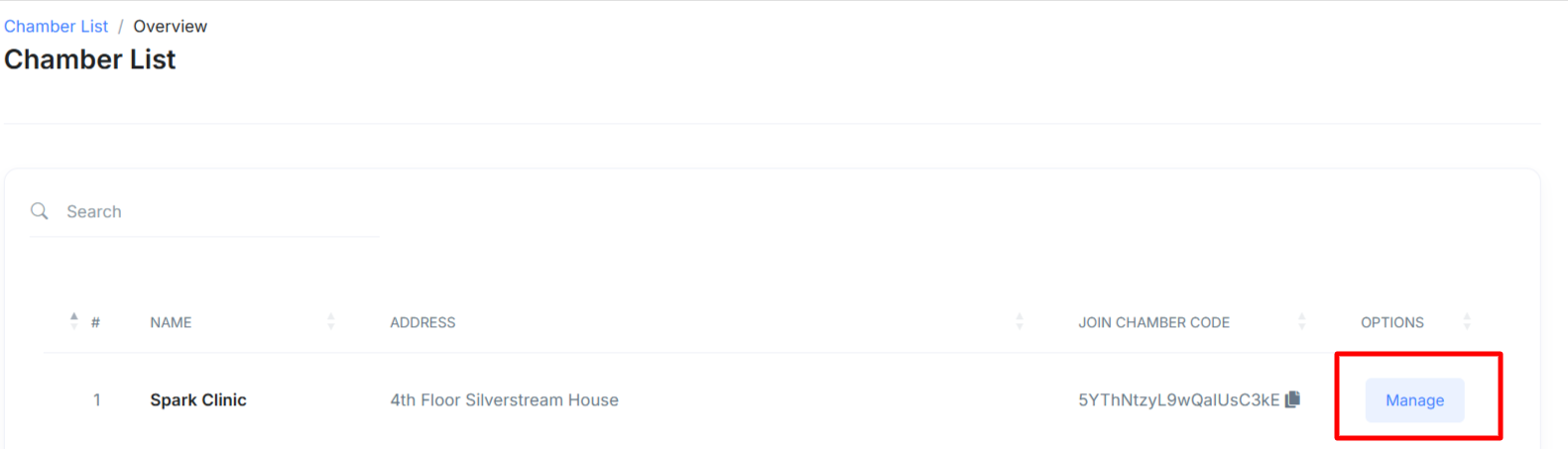
- Now you'll be brought to aÃÂ pageÃÂ where you need to click "Manage" next to the desired clinic you wish to update.
- Now simply enter the bank details you wish to be included on your invoices, and be sure to toggle on âÂÂshow bank details on my invoicesâÂÂ.
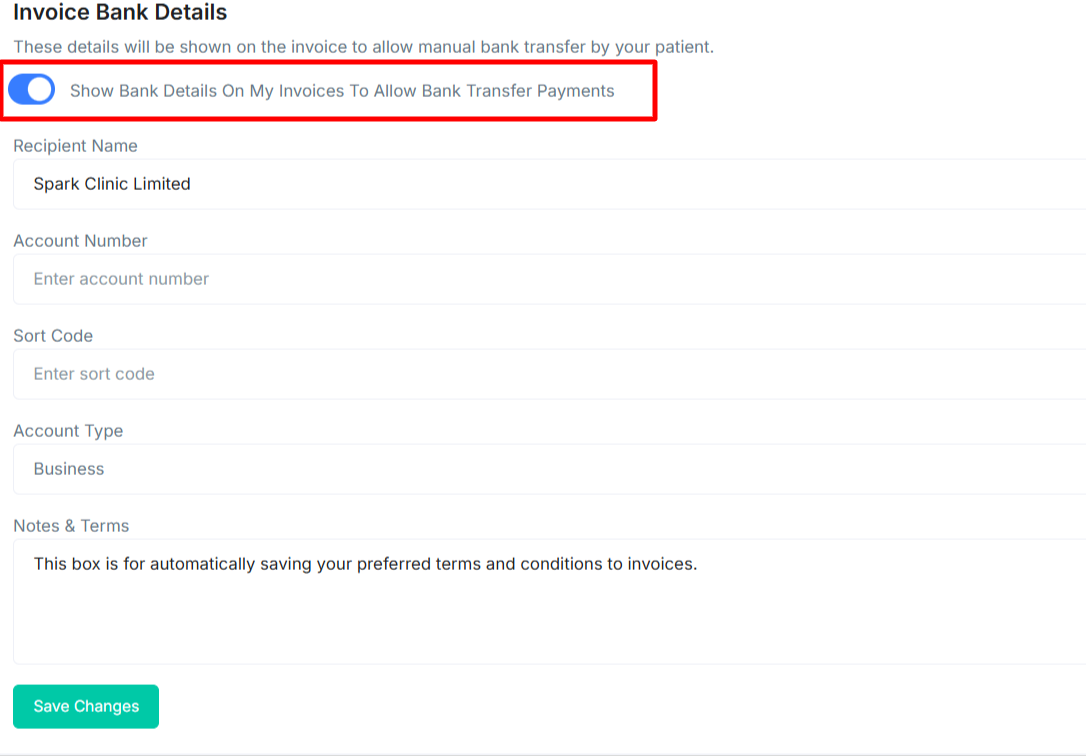
- Next create your notes and terms and click "Save Changes".